Forum Discussion

ArkansasQuapaw
Jan 21, 2026Iron Contributor
How to add apps to the "Startup Apps" settings in Windows 10?
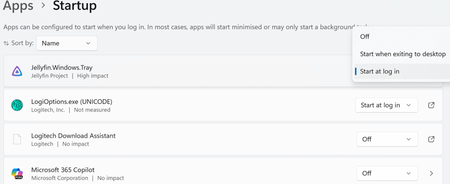
Need to add applications like fan control to the system's "Settings > Apps > Startup" management list. Because the current device has "Xbox Game Bar" enabled, this settings list can differentiate whe...

Arya66
Jan 28, 2026Iron Contributor
Press Win + R, type shell:startup, and press Enter. This opens the Startup folder for your user.
Right-click in the folder, select New > Shortcut.
Browse to or enter the path of your fan control application.
Name the shortcut and click Finish.
This will start the app automatically on login.