Forum Discussion

How do I get rid of Realtek audio and go back to High Definition Audio Device?
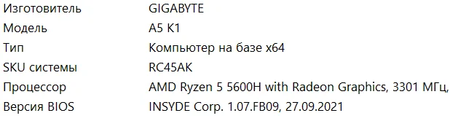

You are trying to recover working headphone and speaker switching, not simply remove the Realtek name from Device Manager. Windows can reinstall an audio device after removal, so its return does not necessarily mean the uninstall failed. Before changing drivers again, obtain the laptop manufacturer's correct audio package so you have a recovery option. In Device Manager, open the audio device, select Update driver, Browse my computer, then Let me pick from available drivers. If a compatible High Definition Audio Device entry is offered, select it, restart and test both the internal speakers and headphones. Do not force an incompatible driver if that entry is unavailable. Microsoft's generic driver is a troubleshooting option, not a guarantee that every laptop's audio functions will work identically. If switching still fails, use the manufacturer's supported package and report the exact laptop model and driver versions.