Forum Discussion

iannoronha
Nov 03, 2021Tin Contributor
How do I backup my bitlocker recovery key
Hi, I am using Microsoft windows 10 pro and I just noticed that my computer has bitlocker enabled by default, but I don't have the recovery key. I am afraid of losing my important data and I don't ha...
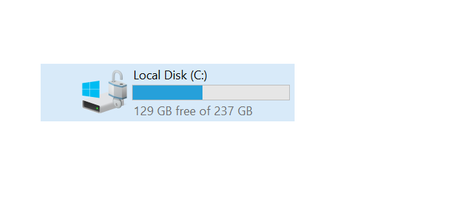
- Nov 03, 2021
Hi iannoronha
- To backup Bitlocker recovery files, please go to Control Panel and open BitLocker Drive Encryption, or right-click on encrypted drive and select Manage Bitlocker.
- Find your encrypted drive, and click on Backup your recovery key.
- You will have the various options, but I will prefer to save it on your Azure AD account.
I hope these steps could helpful for you. Please share your feedback, do not hesitate to contact me for further assistance, I will welcome all the questions you may have.
- To backup Bitlocker recovery files, please go to Control Panel and open BitLocker Drive Encryption, or right-click on encrypted drive and select Manage Bitlocker.

SalmanAhmed
Nov 03, 2021Steel Contributor
Hi iannoronha
- To backup Bitlocker recovery files, please go to Control Panel and open BitLocker Drive Encryption, or right-click on encrypted drive and select Manage Bitlocker.
- Find your encrypted drive, and click on Backup your recovery key.
- You will have the various options, but I will prefer to save it on your Azure AD account.
I hope these steps could helpful for you. Please share your feedback, do not hesitate to contact me for further assistance, I will welcome all the questions you may have.

Vardo
Feb 22, 2026Copper Contributor
heloo , i have the same problem , my HDD partition D and F was blocked with BitLocker without ask or do anythnig. I entered on my microsoft account to try and find my key to unlock my drives adn there was nothnig. I didn't find any key and now i don't know how to or where was saved my key locker .