Forum Discussion

How can I set my screen to 800x600 without using Safe Mode?
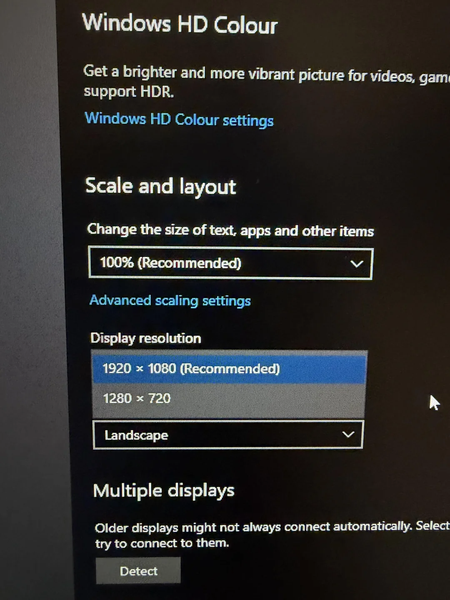

The screenshot confirms Windows offers only 1920×1080 and 1280×720, so 800×600 is not exposed by the active display-driver and monitor combination. Safe Mode shows basic modes because it uses a generic display path; you should not need it for the game. Install the latest supported graphics driver, then open Settings > System > Display > Advanced display > Display adapter properties for the active display. On the Adapter tab, choose List All Modes and select 800 by 600 at a refresh rate supported by the monitor. If that mode is absent, do not force an unsupported custom timing. Keep the desktop at its recommended resolution and check the game’s configuration file, launcher, or windowed-mode setting for 800×600. You can also open the game executable’s Properties > Compatibility and test reduced color mode or disabling fullscreen optimizations. The 640×480 compatibility option is not an exact substitute for 800×600.