Forum Discussion

Can‘t install windows 10 on my pc (Error: 0x80070570)
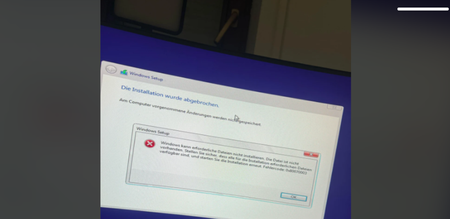

Adding to my previous point: Since this started immediately after your BIOS update, please check these two settings before you try re-installing:
Secure Boot / TPM: BIOS updates often toggle 'Secure Boot' or 'TPM' back to default settings. If your original Windows installation (or your current boot stick) expects these to be in a specific state (Enabled vs. Disabled), the installer will throw a 'file not found' error because it can't verify the boot integrity.
SATA/NVMe Mode: BIOS updates are notorious for switching the storage controller mode from AHCI to RAID/Intel RST (or vice versa). If your Windows installer doesn't have the specific driver for the 'RAID' mode the BIOS is now enforcing, it will fail to see the files on the drive or the drive itself, resulting in that error.
How to verify: Go into your BIOS (usually F2 or Del at startup), look for 'Storage Configuration' or 'SATA Mode', and make sure it matches what you had before. If you aren't sure, try toggling it from RAID to AHCI—it's the most common culprit for 'file access' errors after a BIOS flash.