Forum Discussion

Can‘t install windows 10 on my pc (Error: 0x80070570)
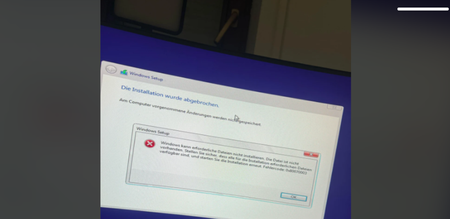

Hi Enzoip, I know how frustrating installation loops can be, but that specific error code (0x80070570 / 0x80070003) almost always points to a corrupted installation media, not a hardware or BIOS failure.
Since you just updated your BIOS, your hardware is likely fine. Here is how to fix it:
Re-create the USB: The installation files on your current USB stick are likely corrupted. Don't just copy-paste the files; use the Microsoft Media Creation Tool to format and create a fresh bootable USB drive from scratch.
Try a different USB port: If you are using a USB 3.0 (blue) port, try plugging the stick into a USB 2.0 (black) port if your motherboard has one. Sometimes legacy Windows 10 installers struggle with 3.0 drivers during the initial boot.
Check BIOS SATA mode: Ensure your BIOS is set to AHCI mode, not 'RAID' or 'IDE,' as this can cause the installer to fail when it tries to find the drive during the 'copying files' phase.
Try the fresh USB creation first—90% of the time, this clears the error immediately.