Forum Discussion

JacobBrown
May 30, 2025Iron Contributor
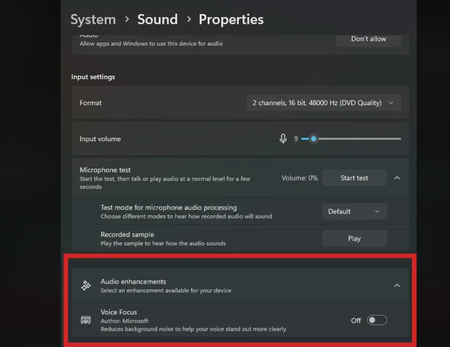
Audio Enhancements, where did it go?
Every time there is a cumulative update I have to go into my sounds settings and disable "Audio Enhancements" so I can use my microphone they way I want to use it, however after the latest update...

Nobel_Baynes
Jul 24, 2025Steel Contributor
Via Legacy Sound Control Panel
- Press Win + R, type control mmsys.cpl sounds and hit Enter
- Go to the Playback tab → Right-click your audio device → Properties
- Check for an "Enhancements" tab (may be hidden if Microsoft removed it)
If missing, try the "Advanced" tab for any related settings