Forum Discussion

Universal Print Cannot Find UP Printers When Printing From Microsoft 365 --- Sort of
 Oct 31, 2023
jbush1120 here with an update.
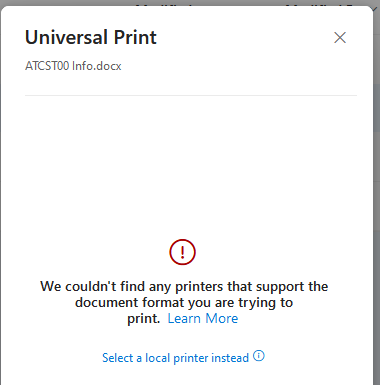
First: I didn't explain when that error screen was displayed. After logging into office.com and navigating to OneDrive, I would select my file (under the 'My Files' icon) and select 'Print' from the files context menu. That's when Office.com displayed the error message.
I got it to work as expected. Here are the steps I stumbled up:
I obtained a Windows 11 PC and joined it to my test Azure AD.Next, I logged into that PC with my non-Global Admin test account
To my surprise, I was able to install the UP printer on that system
After logging out of that PC, I returned to my 'regular' work laptop, opened a browser, and logged into Office.com with the same non-Global Admin account. And now, the UP printer is displayed as an option to print (as expected). I successfully printed to the UP printer.

One of our customers which do not use UP started to experience the issue on all their Windows 10PCs a few weeks ago.
This message always comes up when trying to print PDF documents opened in the web browser whether it is in Chrome or Edge.
This also happen whether logged in as a standard user or as admin.
Is there a way to simply turn off that new UP integration with Edge and Chrome?