Forum Discussion

flospi
Apr 13, 2021Copper Contributor
Lexmark Printer Status "Stopped" in Azure vs. Online on the Device
We are just starting to try Universal Print. As we are using mostly Lexmark printers, I registered two of them (a small b/w printer and a large color mfp) to check out functionality. Registration for...
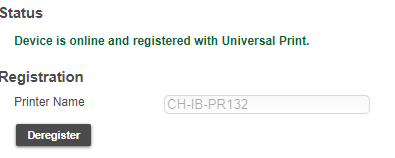

flospi
Apr 18, 2021Copper Contributor
Ticket with MS has already been opened and they also determined the problem on the Lexmark side. As far as I understand, it is the printer that does not sent its state correctly to UP.

rom1lux
Sep 20, 2021Copper Contributor
Solution:
This issue could be solved with either of the following options:
Option 1: Manually Install the updated CAs
1. Download MS_Azure_CAs.pem.
2. From the EWS, go to Security > Certificate Management > Management CA Certificates
3. Click on "Upload CA", choose MS_Azure_CAs.pem, and click "Save".
Option 2: Update firmware to 073.240 and re-register the device.
Starting 073.240, the list Root Certificate Authorities have been included to add the new set of CAs specified by Microsoft.
1. Upgrade the firmware to 073.240 or higher.
2. Re-register your device by going to Settings > Networks/Ports > Universal Print
- Saurabh_BansalOct 30, 2021
Microsoft
rom1lux I recommend keeping the Lexmark firmware up-to-date to ensure you benefit from all the updates.
+ ericmccann from Lexmark.
