Forum Discussion

All printers printing slow.
 Mar 26, 2024All,
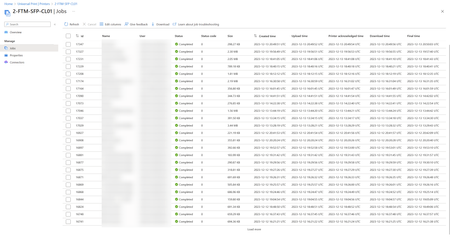
After much back-and-forth between MS and Kyocera I can confirm this painful issue has been solved.... it was indeed a firmware issue on Kyocera side. The printer was not able to communicate with the queue during sleep mode.
Not fixed yet in official firmware but will be soon I hope. I got an onofficial one...
Kr
Christiaan

 Microsoft
dacken - Can you confirm if you are using a Connector for registering printers or the Kyocera printer you mention is a Universal Print ready printer?
Saurabh_Bansal Yes confirmed. I used a printer 'unviersal printer ready'
We bought the printer because it says "Universal Print ready" on the box. We have migrated to O365 a few years ago and I literally had the old domain controller being a printer server... so I was glad to got rid of it.
it's either the pritner or the service... the big downfal is I have nothing to troubleshoot it. At least when I had a server I could look at the spool service or whatever... now it's a blackbox.
- Saurabh_BansalJan 26, 2024
dacken - This seems like a bug and needs to be investigated. This thread does not have enough information to start an investigation.
I recommend starting with Kyocera.