Forum Discussion

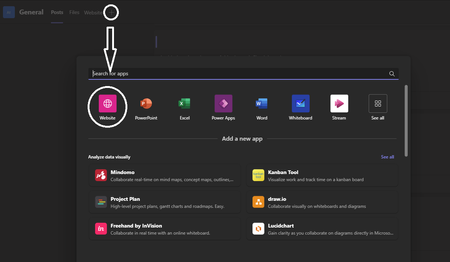
Customize built-in Website App in teams

Hi Thirdmonkey,
Unfortunately, there is no option to customize the built-in Website app in Teams using the Teams admin center. The only way to customize this app is to create a Teams app manifest file and upload it to the Teams admin center.
If you are not familiar with creating a Teams app manifest file, I recommend that you follow the instructions provided in the Microsoft Teams documentation: https://learn.microsoft.com/en-us/microsoftteams/platform/resources/schema/manifest-schema.
Once you have created a Teams app manifest file, you can upload it to the Teams admin center by following these steps:
- Sign in to the Teams admin center.
- Click on Apps > Manage apps.
- Click on the Upload a custom app button.
- Select the Teams app manifest file that you created and click on the Open button.
- Click on the Next button.
- Review the app information and then click on the Finish button.
Once you have uploaded your Teams app manifest file, your app will be available to your users in the Teams app store.
Please click Mark as Best Response & Like if my post helped you to solve your issue.
This will help others to find the correct solution easily. It also closes the item.
If the post was useful in other ways, please consider giving it Like.
Kindest regards,
Leon Pavesic
(LinkedIn)