Forum Discussion

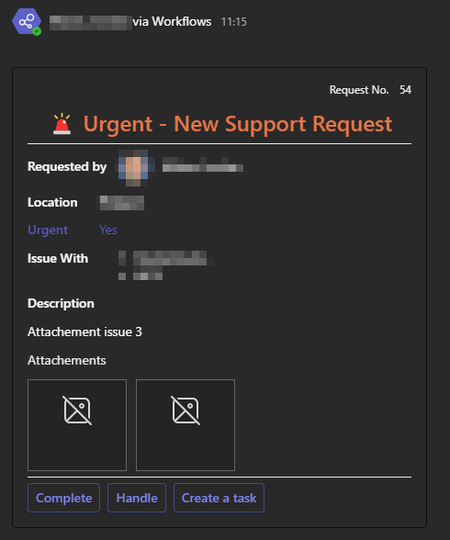
Adaptive card do not render image on Teams Desktop

 Microsoft
jordanmatas - We have raised a bug for this. We will inform you once we get any further update from engineering team.
Thanks,
Prasad Das
------------------------------------------------------------------------------------------
If the response is helpful, please click "**Mark as Best Response**" and like it. You can share your feedback via Microsoft Teams Developer Feedback link. Click here to escalate.

PS: I've also asked Copilot, the answers there were no better. 🙂
- Prasad_Das-MSFTFeb 21, 2024We got update from engineering team that, this is by design - image requests are not sent with any auth token, which is why we request that all cards images be publicly available.As an alternative, you can convert the image to base64, or upload it to a publicly accessible image repository.
Thanks,
Prasad Das
------------------------------------------------------------------------------------------
If the response is helpful, please click "**Mark as Best Response**" and like it. You can share your feedback via Microsoft Teams Developer Feedback link. Click here to escalate.
 magichappenzDec 04, 2024Brass Contributor
I think the problem is a different one and still exists. See https://techcommunity.microsoft.com/discussions/teamsdeveloper/images-in-adaptive-cards-in-new-teams-client-not-showing/3977146/replies/4025543. I have tested the exact code for the adaptive card with https://adaptivecards.io/designer/ and it shows the image correctly. Could you please tell us when the product team considers to fix this? Its been an issue since the new Teams, it was acknowledged, and even fixed in a previous version. This is very frustrating.
 piotrdziubaniiSep 03, 2024Copper ContributorHi Prasad,
Would it be possible to update Adaptive Cards documentation and include this information?
Today it is recommended to use image from SharePoint: https://learn.microsoft.com/en-us/power-automate/image-share-sample
There is no official info on the base64 encoding method - the only workaround for business users who can't put image to the open url,
You should also mention the payload size limit, what makes image handling more tricky - you need to resize it to keep the payload small and there is no MS tool to resize and encode image.
BR,
Piotr