Forum Discussion

Surface pro 5th gen touch screen dead spots.
I have been using my surface pro 5 for a while now and it started having dead spots for the touch screen although it wasn't dropped and no cracks on the screen. There are to vertical areas of the screen (1 inch each) where the vertical line suddenly turns horizontal and i am unable to draw a vertical line in these areas.
i have tried the following
1. 491758_intl_x64_zip calirbration tool (run through CMD) i get the message "pass" but a text file is generated with the following
0)Error:Exiting HIDDispatcher::Dispatcher
0)Error:Host not found in host list
2. uninstall touch screen drivers from device manager and install them again
3. Image restore for surface pro 5 and restore factory image
Kindly let me know if there are any solution that i can try or if i can try differently.
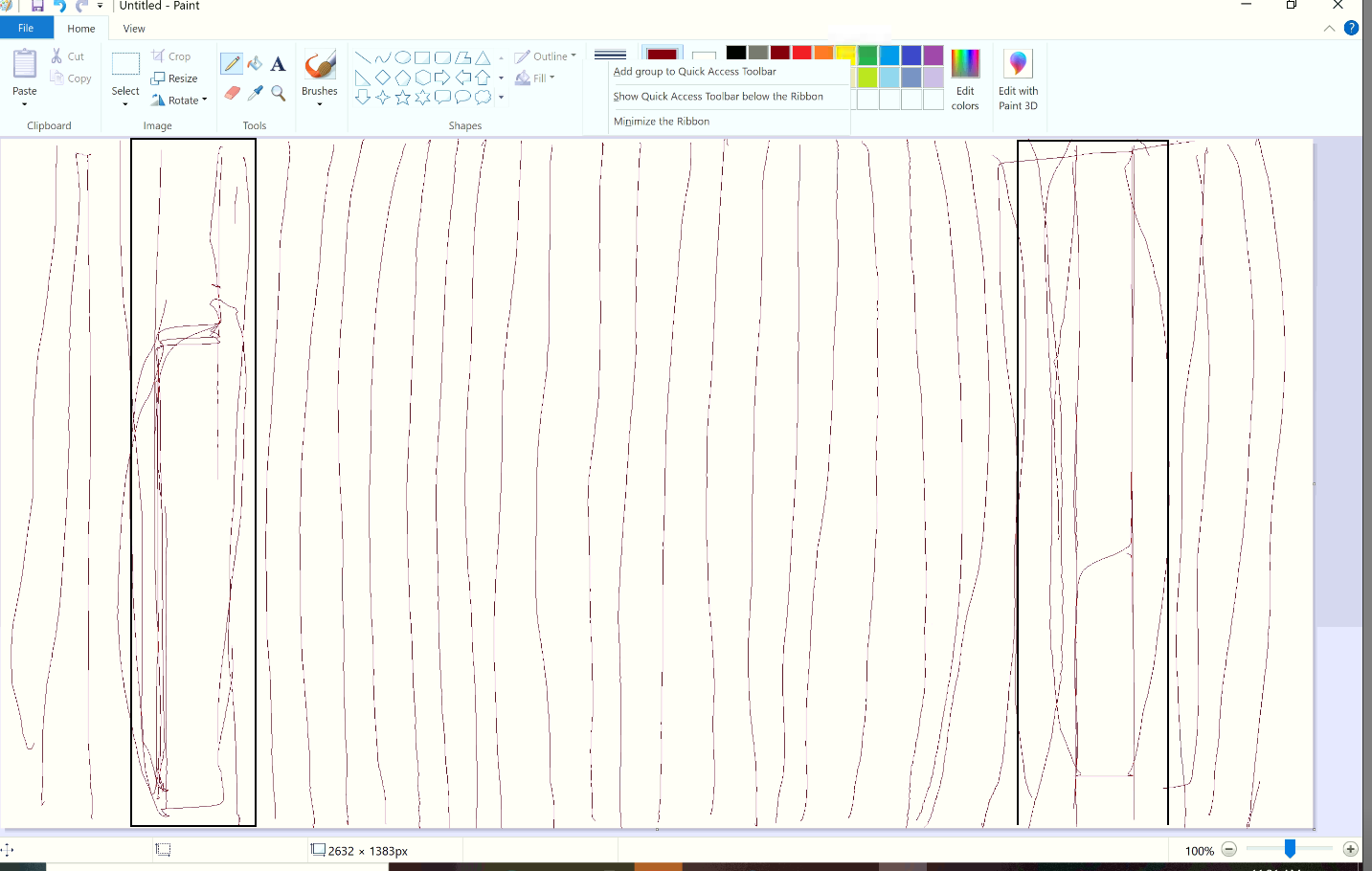
3 Replies
 ruthbunnyCopper ContributorHave you ever resolved this? Has Microsoft tried to help?
 Tom_TomCopper Contributor
I have the same problem with Surface Pro 5. There is a band that is not accessible by the pen.
- ruthbunnyCopper Contributor
Tom_Tom
I have the same problem with my Surface Pro 6.
I have these errors when running the calibration tool
0)Error:HidP_GetValueCaps() failed. Error = 0
0)Error:HidP_GetValueCaps() failed. Error = 0
0)Error:HidP_GetValueCaps() failed. Error = 0
0)Error:HidP_GetValueCaps() failed. Error = 0
0)Error:Exiting HIDDispatcher::Dispatcher
0)Error:Host not found in host list