Forum Discussion

Mauro Perego
Jun 21, 2021Copper Contributor
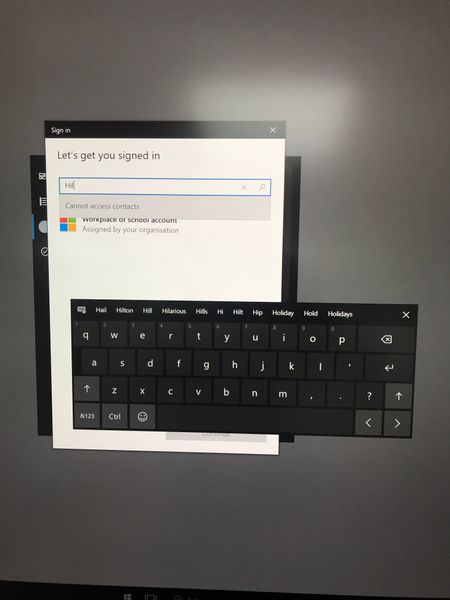
Surface Hub 2 showing "cannot access contacts"
Hello, since few weeks 2 of my new Surface Hub 2 show cannot access contacts as per pic below. I reinstalled from scratch one of them and it did not help ... do you have any idea how to address thi...

Petri-X
Nov 11, 2022Bronze Contributor
Isn't that a problem that you have not been sign-in as it says on topic? So one propose is, select the "Workplace or School account" at first, then from bottom, select [Continue].
After that it most likely asks your credentials.

Leonalx
Nov 11, 2022Copper Contributor
No, it is not a problem because it should find your contact to sign in. You still need to add an account to the HUB under "Settings / Admin / Surface HUB / Accounts"
Selecting "Workplace or School account" and selecting continue will work but it is not what Mauro was trying to achieve. Also, I find it annoying to enter the full email address when the HUB has the function to search the contacts.
Selecting "Workplace or School account" and selecting continue will work but it is not what Mauro was trying to achieve. Also, I find it annoying to enter the full email address when the HUB has the function to search the contacts.