Forum Discussion

Experiences with SRS/Logitech SmartDock
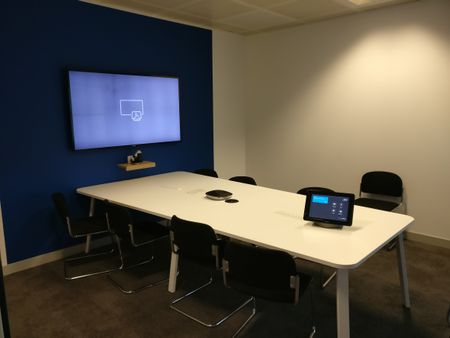

Posting this here in hopes that someone has run across this before and maybe has a suggestion \ solution. Or maybe I'm just missing something...
We have 3 Logitech SmartDocks running the Skype Room System for our main conference rooms across 3 offices. The SmartDock\Skype Room System solution is working well and has made joining meetings very easy for users. However, one huge issue we have come across is that there is no audio bridge option you can set for the room system itself.
In a perfect world, we would like a audio bridge line to be assigned to every meeting that is scheduled to use the SRS, regardless of who booked the room. This will allow users on the road to dial into the meeting, rather than use the SfB app. Because a Skype license is required for the SRS, it seems logical that a audio bridge license can be assigned to it as well, but that does not appear to be the case. You can assign a PSTN license so you can dial out from the SRS, but that does not assign a conference bridge line to the room.

Dennis Lewis the room is just a participant in a meeting booked by someone else, if the person creating the booking is licensed for PSTN Conferencing then there will be dial in details added to the meeting request. Then the room will join by Skype, other people can either dial or Skype into the meeting.
It's also typical to also assign a PSTN Conferencing license to the rooms account, then if anyone starts a meeting on the device they can dial out to attendees.
We licence all users and rooms with E1, Intune, PSTN Conferencing, Phone system and national dial plans.
- Dennis LewisApr 26, 2018Copper Contributor
I appreciate the reply Steven Collier. The way the SRS solution is presented\marketed, the room should be the "host", not just a participant. Most other video conferencing providers that offer "room" solutions provide audio bridge conference lines to the room resource, not the scheduler.
This is definitely a wish list item for us. Having to purchase PSTN Conferencing, Phone system and national dial plans for 200+ users who MIGHT book the room is quite expensive.
- Apr 26, 2018
Your users wouldn't need Phone system or Dial Plans (unless you wanted them), just PSTN Conferencing.
For the room to be the 'host' it would have to organise the meeting, send the meeting request etc. A participant can't update the meeting request in Exchange.
I see your point, but I can't really see that any other product would behave differently in an Exchange Environment, it's always the organiser who adds the details.