Forum Discussion

Troubleshooting Alerts
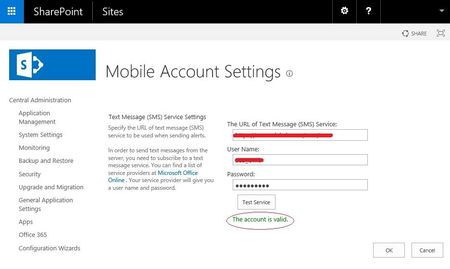

Hi John,
Did you check the firewall settings? Maybe the ports are not correct configured and that's the reason why the SMS is not sent?
Make also sure that the number configured in AD is correct, because SharePoint has an invalid phone number the SMS is not sent. Make also sure that you have verbose logging on to see everything in the ULS Logs.
Hopefully i helped you a little bit out.
 John SellarsMar 27, 2018Copper Contributor
Do you know which ports in particular should be open? I've spoken with my network guy and he feels everything is in order in that regard. I've also checked my profile and my mobile number is shown correctly (e.g. +447768xxxxxx, I've also tried 00447768xxxxxx). Since SharePoint reports that SMS is set up correctly, this really should just work, but it doesn't and I don't know what else there is to check.
- Jeroen BrandersMar 27, 2018Copper Contributor
Normally it is the 443 port with the righ certificate.
What did you see in the event log viewer from your SharePoint server?
If you execute following command Stsadm.exe -o getproperty -url http://192.168.0.33:8080/ -pn alerts-enabled what is the output? Are the timer jobs enabled for the alerts?
Thanks for your reply.
- John SellarsMar 27, 2018Copper Contributor
Hello,
With regard to the logs, you might have to narrow that down a bit. Which log in particular?
I get this output when executing the command you gave me: