Forum Discussion

vcianci
Jun 14, 2021Tin Contributor
Site Rename
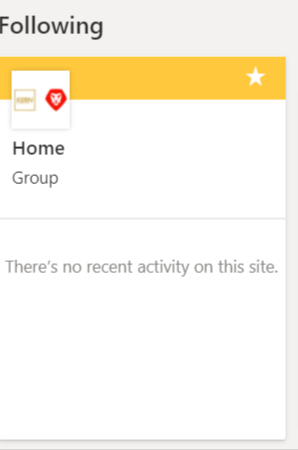
Hi, I been searching in the site rename category to fix the name from Home to the actual site name. Thank you

Jun 14, 2021
Go to the site, the cog in the top right (settings) then Site Information and naming the site there should be Home, change to required name.

vcianci
Jun 21, 2021Tin Contributor
No luck. On the image still looks like it even though I changed it
- Jun 22, 2021Home is probably the site homepage. You'll have to go Create a new page most likely under site pages with a new name, then set it as your home page in the menu in the pages library. That might work.
- vcianciJun 22, 2021Tin ContributorI will try ...thank you
- ganeshsanapJun 22, 2021MVP
vcianci Or you can try renaming/changing Title property of home page of SharePoint site.
You can find the steps to change the Title of site page at the end of this article: SharePoint Online: Create a blank page without header & title
Please click Mark as Best Response & Like if my post helped you to solve your issue. This will help others to find the correct solution easily. It also closes the item. If the post was useful in other ways, please consider giving it Like.