Forum Discussion

SharePoint Permission for guest users through security groups
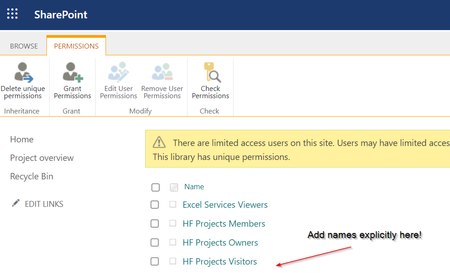

David_Elsner this is indeed pretty strange yes. I cannot understand why it is like this. As I use this for multiple hundreds of users in dynamic groups but that shouldn’t matter.
testing some things to clarify
- if you add a tenant user in the same aad group do you see in check access that the user receives the sp group access? To verify internal users work
- if you have a teams group with internal and external guest users can you add that team aad group to sharepoint and see if you check access and get info about the normal and guest users then?
depending on the above results one can investigate further. Are you a tenant admin or at least site collection admin on that site?

- Yes internal users work instantly. Also the check permission does what it should.
- Yes, Microsoft 365 groups (thats what you mean by "teams group", right?) also work as intended.
So: Only normal Security groups have this issue.
I am a global admin 😉
 sfroehlich_azaDec 27, 2023Copper Contributor
David_Elsner Have you every had any luck getting this to work? I am running in the exact same issue here with external users.
- carlsmithMar 07, 2024Copper Contributor
sfroehlich_aza , David_Elsner I have run into the same issue, what I have narrowed it down to is that if users are 'members' in Azure, it works as expected, if users are 'guests' in Azure, SharePoint does not see them in the AD Group and they have to be added manually.
I currently have a ticket with Microsoft to investigate.
I have a back up plan using Power Automate to 'get all members' from a dynamic AD group in Azure and 'add them' to a Scurity group in SharePoint, messy, but it does seem to work. poom212421412412Jun 25, 2024Copper Contributor
carlsmith Did you ever get anywhere with Microsoft?
Cant get it to work myself
