Forum Discussion

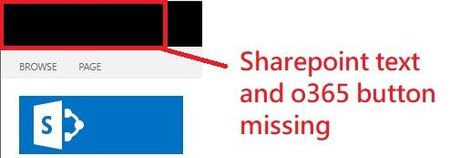
SharePoint 2019 Suitebar is disappear and unable to correct it back

Where have you applied custom CSS/JS? Have you applied Alternative CSS from site settings? Try to find out it because that may cause issues for you later.
Try changing the master page of site to any of default master pages available. This might work for you.
Please click Mark as Best Response if my post helped you to solve your issue. This will help others to find the correct solution easily. It also closes the item. If the post was useful in other ways, please consider giving it Like.

ganeshsanap Thank you for your response.
I am not sure where did I edit the CSS/JS to hide the suite bar.
But I had use a default CSS file replace the environment CSS and I copy a default a master page to my environment. All this approaches are not able to bring the suite bar back.
Do you have any idea which JS file should be changed?