Forum Discussion

May 01, 2018
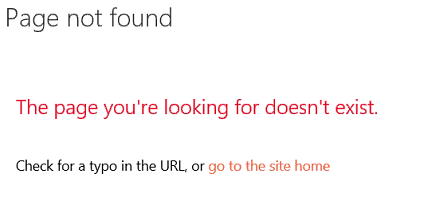
SharePoint 2016 and Office Online - Page not found
I've got multiple SharePoint 2016 farms and I've configured Office Online. On 5 of these farms this is working but on the 6th farm it is not working.
When I try to create a document or when...

May 01, 2018
Yes, I tried all of that. I even recreated the wopi bindings. The service works and displays xml in the browser.

May 01, 2018
When you go to edit a file/create a new one, what is the ASPX page it is sending to you to? You may need to use Fiddler if it is redirecting after encountering an error.
- May 01, 2018
This is a very restricted environment ( like all the other 5 farms) not sure if I can use fiddler. I guess I can try.
- May 01, 2018
Got it. To clarify, this would be fiddler from a client workstation and not the servers.
Since you said the environment was locked down, is it any more locked down than the 5 other farms? Are there any unique GPOs that might be of interest, or network equipment (firewall, router, IDS/IPS, and so on) between SharePoint/OOS?
- May 03, 2018So far I got the following from Fiddler. The call to wordviewerframe is giving me a 404
 POST /wv/wordviewerframe.aspx?embed=1&ui=en%2DUS&rs=en%2DUS&WOPIsrc=https%3A%2F%2Fintranet%2Duat%2Dgb%2Eclient%2Ecom%2F%5Fvti%5Fbin%2Fwopi%2Eashx%2Ffiles%2Fa83fe6c5c940421e92b040e698e3f39a&wdSmallView=1&wdEnableRoaming=1 HTTP/1.1


<html><head><meta http-equiv="Content-Type" content="text/html;charset=utf-8" /><meta name="SharePointError" content=""/><meta name="Description" content=""/><meta name="Keywords" content=""/><meta name="Robots" content="NOINDEX"/><script type="text/javascript"><!--window.location.replace("https:\u002f\u002fintranet-uat-gb.client.com\u002fPages\u002fPageNotFoundError.aspx?requestUrl=https:\u002f\u002fintranet-uat-gb.client.com\u002fwv\u002fwordviewerframe.aspx")--></script></head><body><!------------------------------------------------------------------------->File Not Found<!-------------------------------------------------------------------------></body></html>
I also had a look at the Office Online ULS logs but they don't seem to be very useful at least there doesn't seem to be anything relevant to the failed call.