Forum Discussion

SharePoint 2013 - Web Application is Not accessible - Getting Strange Issue
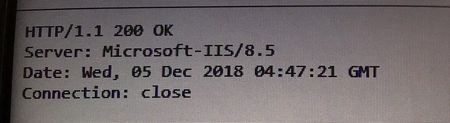

- Dec 05, 2018
The Issue is RESOLVED by the below steps which i have found My-self. No Blogs helped me!
Hope this response will help a lot of crowd in future.
Steps in Brief:
1. Since everything is fine from DB end, Server End, Application Pool End and also all other web application are working fine too. Had a gut feeling that there could be something wrong with the Service Account.
2. Went to Configure Service Accounts in CA
4. Check the service account used by Web Apps which are up and running and check for the one which is down.
5. After identifying the ODD Service Account.
6. Go to > iis Manager > Right click on the Application Pool of the Web App which is down under Application Pools > click on Advanced Settings > Under Identity > change the service account to the one which is working fine. > Click on OK > Refresh Application Pool and Restart the Web App.
The Web Application started running!!
Saved 1000 Users!
Sharing is Caring!!

The Issue is RESOLVED by the below steps which i have found My-self. No Blogs helped me!
Hope this response will help a lot of crowd in future.
Steps in Brief:
1. Since everything is fine from DB end, Server End, Application Pool End and also all other web application are working fine too. Had a gut feeling that there could be something wrong with the Service Account.
2. Went to Configure Service Accounts in CA
4. Check the service account used by Web Apps which are up and running and check for the one which is down.
5. After identifying the ODD Service Account.
6. Go to > iis Manager > Right click on the Application Pool of the Web App which is down under Application Pools > click on Advanced Settings > Under Identity > change the service account to the one which is working fine. > Click on OK > Refresh Application Pool and Restart the Web App.
The Web Application started running!!
Saved 1000 Users!
Sharing is Caring!!

Keep in mind that the change you made will NOT persist. It will not replicate to other servers nor will it change if you do anything that re-provisions the Web Application.
You should consolidate your Web Applications to a single IIS Application Pool (same with Service Applications, sans PowerPivot Conversion Service, if applicable).
- Prabhu NehruDec 07, 2018Brass ContributorNow the Web App is up and running without any issues. Let’s see how long it will persist in the current state. This thread will be open for more discussions with this context.
 nullmetalMar 30, 2023Copper ContributorBroo thank you, one of our sites just randomly failed in our production environment and your post was the only solution that worked!