Forum Discussion

New-SPWOPIBinding : Sorry, we have encountered an error and New-SPWOPIBinding has failed.
- Mar 02, 2018Have you added the cert to both the trusted root store in the certificates mmc as well as a trusted root in SharePoint central admin?


All
I suspect this might be my issue. Is there a time problem as it is out of sync between the two servers? Trevor Seward
 ameysmJul 17, 2022Copper Contributor
Worked like a charm all the time "time was the issue" Daniel Westerdale
- Mar 03, 2018Generally a time sync issue can lead to problems with the validity time of the cert which would prevent communication.
But a time sync issue is significant for domain-joined clients and... well, lots of services. Fix that first via w32tm. - mikeleemsftMar 02, 2018
Microsoft
I think you are on to something there.
You can always enable CAPI2 logging for a detailed error (and what Trevor said) :) .-Mike
- Daniel WesterdaleMar 05, 2018Iron Contributor
Mike, what is CAP12 logging btw ?
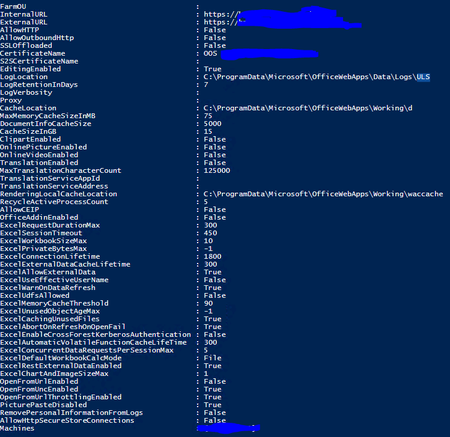
I did manage to locate the (hidden) ULS log dir in the end after a number of system prompts .....
C:\ProgramData\Microsoft\OfficeWebApps\Data\Logs\ULS
- Mar 02, 2018Have you added the cert to both the trusted root store in the certificates mmc as well as a trusted root in SharePoint central admin?
- Daniel WesterdaleMar 05, 2018Iron Contributor
Hi
This morning. I imported an internal cert created by one of my colleagues and recreated the SPWopi farm then attempted to the SPWOPIBinding command:
New-SPWOPIBinding -ServerName OOS1.mydomain.com
- No success ;-(
Next I imported the cert in the trusted root store as you suggested and immediately, I was able to create a SPWOPI binding. I repeat the same steps for the other OOS instance.
Once thing we noticed is the additional step of importing the same cert on OOS into the Trusted Root Certificate Authorities on OOS instance.
Thanks for you excellent advice.
