Forum Discussion

Manage default "Permission Levels" by tenant or by bub
- Sep 22, 2020
I understand what you are trying to do. I think it will come down to a post provisioning step, like running a PnP PowerShell cmdlet to set the custom permission levels.
Norm

Are you trying to add users/groups by default (Group1 is always in the Members group) or adjust the permission levels of the default security groups (Members group can only Contribute vs Edit)?
Norm
 Tormod Solem SlupphaugSep 21, 2020Iron Contributor
stormin_30 Neither. Let me rephrase:
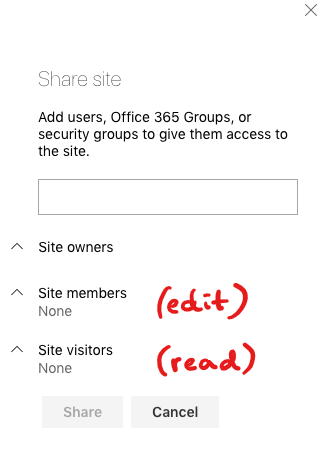
The default permission levels "Read", "Edit", "Contribute" etc., each have their specific settings (see example screenshot below). If you change the settings for permission level "Read", those changes will ONLY apply for the particular site in question.
In my case, I'm creating a lot of different sites for a hub, and each of these sites should have slightly adjusted settings for "Read" and "Edit". Ideally I'd like to edit/manage the "Read" permission level for all of my sites in one go. I want these permission levels to stay consistent for my different Sharepoint sites, and for any new sites I create.
- stormin_30Sep 22, 2020MVP
You can centrally manage visitor permissions within the Hub. See Hub site permissions
for more information.
The edit permissions will be hard to manage and I think you will need to consider a post provisioning step to modify or create the new permission levels.
I hope this helps.
Norm
- Tormod Solem SlupphaugSep 22, 2020Iron Contributor
I think you might have misunderstood my request. I'm aware that I can grant users access to the whole hub by using hub site permissions, but that's not what I'm trying to do. Each of my hub sites have different sets of users. The only thing I want to sync inbetween the sites are the Permission level settings.