Forum Discussion

How to share fiiles to external user
I followed this example: https://sharepointmaven.com/how-to-share-files-and-folders-externally-in-sharepoint/
However, the external user is still not able to log in. He recieve validation code, but the error message about not able to grant access.
4 Replies
 Andrew HodgesBronze Contributor
Hi Rune Haarberg ,
What external sharing settings in the admin centre did you set and what kind of link did you send the user?
A screenshot of the error message would be good.
 Rune HaarbergCopper Contributor
I used certian persones (unsure whats called in the english version). See attached.
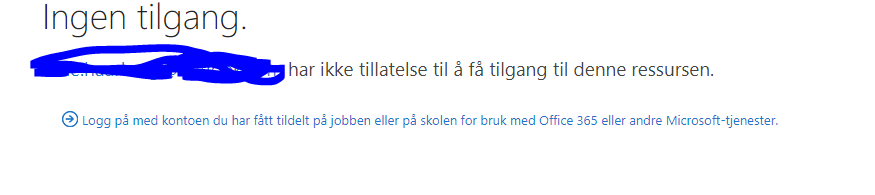
The message I recieve is also encloed, though i Norwegian. Will try to translate.
No access
Emailadress has no authorization to gain access to this resource.
Logg on with the given email address from work og school used for Office365 or other Microsoft services.
- Andrew HodgesBronze Contributor
Its "Specific People" .
This can be caused by a number of things.
1. Check the email address in the error message matched exactly with the address you send the invite too.
2. Check with SharePoint Admin that the sharing settings are set to allow users from all domains or the user's domain that you are trying to invite is added to the site.