Forum Discussion

Event 8321, SharePoint Foundation Issue on SharePoint 2016
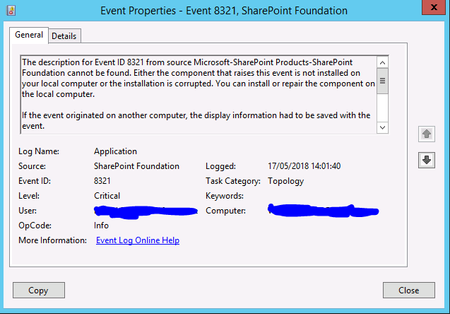

Thanks. I haven't had chance to run these commands yet as I have been testing out some SQCluster and proxy changes. Essentially clearing the Application log events ( error/critical) on the various servers.
Yet , only WFE states that publishing is disabled. Note I am now getting a new error appearing - the publishing message gets added to certain events.
Regards the commandlets you mention.. I think they are scoped to the farm and also local sever. Hence should I target say just one or both WFEs?
---------------------------------------------------------------
The description for Event ID 1101 from source Microsoft-SharePoint Products-PerformancePoint Service cannot be found. Either the component that raises this event is not installed on your local computer or the installation is corrupted. You can install or repair the component on the local computer.
If the event originated on another computer, the display information had to be saved with the event.
The following information was included with the event:
Unable to load custom data source provider type: Microsoft.PerformancePoint.Scorecards.DataSourceProviders.AdomdDataSourceProvider, Microsoft.PerformancePoint.Scorecards.DataSourceProviders.Standard, Version=16.0.0.0, Culture=neutral, PublicKeyToken=71e9bce111e9429c
System.IO.FileNotFoundException: Could not load file or assembly 'Microsoft.AnalysisServices.AdomdClient, Version=10.0.0.0, Culture=neutral, PublicKeyToken=89845dcd8080cc91' or one of its dependencies. The system cannot find the file specified.
File name: 'Microsoft.AnalysisServices.AdomdClient, Version=10.0.0.0, Culture=neutral, PublicKeyToken=89845dcd8080cc91'
at System.RuntimeTypeHandle.GetTypeByName(String name, Boolean throwOnError, Boolean ignoreCase, Boolean reflectionOnly, StackCrawlMarkHandle stackMark, IntPtr pPrivHostBinder, Boolean loadTypeFromPartialName, ObjectHandleOnStack type)
at System.RuntimeTypeHandle.GetTypeByName(String name, Boolean throwOnError, Boolean ignoreCase, Boolean reflectionOnly, StackCrawlMark& stackMark, IntPtr pPrivHostBinder, Boolean loadTypeFromPartialName)
at System.RuntimeType.GetType(String typeName, Boolean throwOnError, Boolean ignoreCase, Boolean reflectionOnly, StackCrawlMark& stackMark)
at System.Type.GetType(String typeName, Boolean throwOnError)
at Microsoft.PerformancePoint.Scorecards.Server.PmServer.InitializeCustomDataSourceProviders()
PerformancePoint Services error code 10107.
The publisher has been disabled and its resource is not available. This usually occurs when the publisher is in the process of being uninstalled or upgraded

- Daniel WesterdaleMay 22, 2018Iron Contributor
Trevor Seward wrote:
It looks like you're missing the installation of the ADMOMD.NET addin from SQL Server 2008/R2.This is now done on all WFEs and A/Ss With the exception of one of the WFEs showing the error below - repeated the command a few seconds after and no problems. I have the screen output from all the relevant servers should you need me to post this this forum.
Update:
I have now tested publishing on a publishing sub site and a publishing site collection and both are ok. Therefore, it is looking more like an issue with the main portal site( content type, and or, custom master page or layout. Hence, is it possible to reinstall the OTTB page layout content types as some of these have been 'touched' before I started working on this farm?
- Daniel WesterdaleMay 23, 2018Iron Contributor
Hi
I have now solved this . I had to recreate a number of page layouts. I also had to remove and re-add a meta column to one of our custom page layout content types, as previously I could dragged onto the page in SharePoint Designer but it wouldn't render on any of the final pages.. The WFE supplication event error message that mentions disabling publishing is just random nonsense designed to confused the humble SharePoint consultant!
Thanks for the advice - I think those commandlets will be handy to remember in the future.
- Daniel WesterdaleMay 21, 2018Iron Contributor
Trevor Seward wrote:
It looks like you're missing the installation of the ADMOMD.NET addin from SQL Server 2008/R2.Thanks, to be honest this a nice to have as we'll do Office 365 PowerBI, post hybrid enablement - I just want to resolve the disabled publisher as this is causing me big problems.
Do I run Install-SPService and Install-SPFeature -AllExistingFeatures. on all servers in the farm?
- May 21, 2018Those cmdlets are per-server.