Forum Discussion

Date format needs to be DD/MM/YYYY
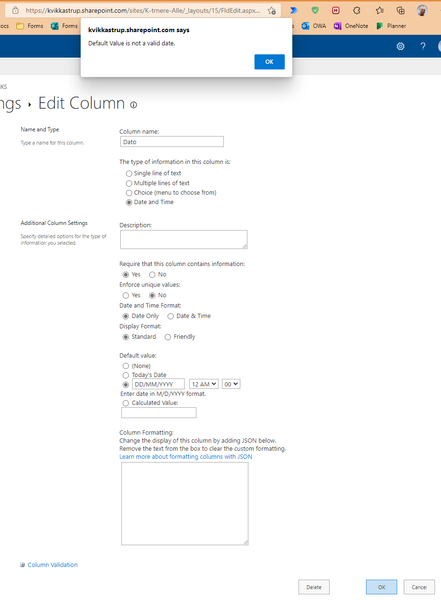

Ditto! And it still does not work. I'm frustrated as heck, been stuck with this for 2 ish hours now.

You need to go to site settings then in the Site Administration section select Regional Settings. Then change the Locale to a place that uses DD/MM/YYYY like the UK. I've never had a problem with it in 15 years.
Rob
Los Gallardos
Microsoft Power Automate Community Super User.
Principal Consultant, SharePoint and Power Platform WSP Global (and classic 1967 Morris Traveller driver)
 Dave_GreenFeb 14, 2025Copper Contributor
Rob - change worked for me in that it converted the existing dates but when I use the pull down calendar to enter the date it still enters it in the MM/DD/YYYY format and then flags a format issue. I can type it in manually but just wondered if I had missed a step. Thanks
 Colin1024Jan 23, 2025Copper Contributor
(A) I do not have site admin privileges.
(B) The sites I use are shared by people across the globe - there is no single locale. These should be PERSONAL settings. The current approach SharePoint uses is 100% guaranteed to annoy at least some of its users.