Forum Discussion

Teams integration: Hiding the O365 header in project roadmaps
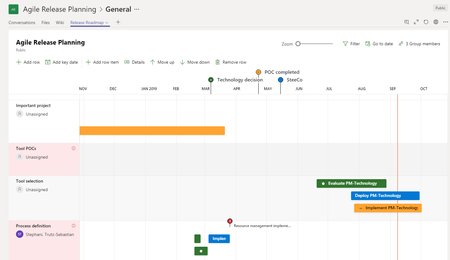

Trutz_Stephani OK, good to know, we'll probably figure it out then - below some evidences of current behavior:
#1 Trying "&dynamicsUI=true" with dynamics website" -> error message
In browser we see the same result:
The original URL is this one:
#2 Trying to add 'project' app as new tab in Private Channel -> 'project' app is not presented
#3 Trying to add 'project' app as new tab in Standard Channel -> 'project' app is presented (OK)
Should we open a ticket or could it be something related to our own tenant configuration?

michelbehr when you click on the "Tasks" Tab in the Dynamics app, does it show you the embedded tasks? That's what I wanted to check as your original embed URL is the same that is used by that tab.
As Paul noted, embedding the whole application doesn't work.
- michelbehrOct 21, 2020Copper Contributor
Trutz_Stephani sorry, I didn't take all 4 screenshots, but actually it's the same behavior on both browser and MS Teams UI. I'll open a ticket - thanks
- Trutz_StephaniOct 21, 2020Steel Contributor
michelbehr I see in your first screenshot that the embedding for the project works in the Dynamics app. Strange, that then the URL parameter doesn't work when embedding the normal project page in your Teams as a website. I think you should open a ticket to get this solved.
- michelbehrOct 21, 2020Copper Contributor
Trutz_Stephani On both browser and MS Teams UI, if I add the "?dynamicsUI=true" suffix I get an error message, if not I get the site _with_ the header.