Forum Discussion

CarlosMorenoV
May 10, 2023Copper Contributor
Task link visibility: OK in Desktop client but not visible in Online
I am very upset because I don't see how to activate visibility of task links (connection lines) in Project Online ). See attached screenshot. Tasks are effectively linked, and you can see perfectly...
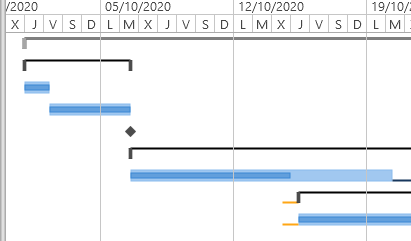

Paul_Mather
May 10, 2023MVP
Hello CarlosMorenoV ,
I've not seen that before, can you add the predecessors column in the view (PWA Settings > Manage Views > Select your view > add Predecessors > Save), do you see values there? Here is my test project project:
Paul
 CarlosMorenoVMay 11, 2023Copper Contributor
Hi Paul, here I have included Predecessors column. Moreover, same project shows link lines perfect in Desktop client.
Any idea?. Thank a lot for your help !!.
Carlos,
- Paul_MatherMay 12, 2023MVP
Hello CarlosMorenoV ,
Is it just this one project that has the issue? Do other projects display the links OK? What about changing views in the schedule PDP, do they all show the same for this project?
Paul
- CarlosMorenoVMay 29, 2023Copper ContributorHi Paul,, this is just to comment that I found (partially) why arrows linking tasks were not drawn: I have tried using Microsoft Edge instead of Firefox and there's no problem. It works fine!!!!
Surprisingly previously I used last Firefox version (113.0.2 (64-bit)). My question now is: Should it work with other web browser different from Microsoft Edge? Could I do something to Firefox in order to solve it?.