Forum Discussion

Project workflows: How the "Send an HTTP request to SharePoint" connector can help you
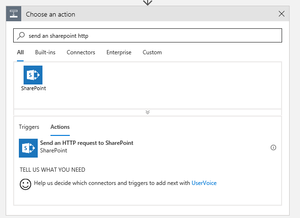

Hi Doc0014
It's probably easier to retrieve custom field values using the OData endpoint <PWA-URL>/_api/ProjectData, e.g. <PWA-URL>/_api/ProjectData/Projects for project custom fields. This will provide the published values except for multiline text fields, the HTML formatting will be stripped.
Using the REST-Endpoint you should use the following URL: <PWA URL>/_api/ProjectServer/Projects(‘<Project GUID>‘)/IncludeCustomFields
This will bring the custom fields labelled by their internal id and for multiline text fields including the HTML-Formatting.

First, thanks Trutz_Stephani for the first posting and for replying. Your initial post was HUGELY helpful.
While waiting for your response, I ran across some other articles that were no where near as well written as yours, but had elements of the same answer you gave. I ended up finding that if you call .../_api/projectdata/Projects(guid'projectID') - that will return all the fields with the names you can use.
Interesting enough - if I tried to get that name via _api/projectserver route, it came back with an internal name like "Custom_xxxxxx....", which didn't work; an Id that was a Guid, which didn't work; and the friendly name (in this case "Landing Lead"), which of course didn't work.
But when I went via _api/projectdata it showed the name as "LandingLead" which worked perfectly.
Thought I would post this here in case others encounter the same thing. Hopefully, it makes there search easier and faster. 🙂