Forum Discussion

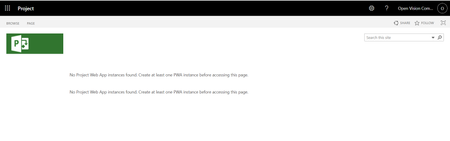
Project Online: Error when accessing a newly created PWA instance
- Jul 05, 2022
I just got off the phone with Microsoft support.
Seemed that the GUI for setting this up didn't work and after running a command showed that PWA was disabled - PWAEnabled : Disabled
We ran these in PowerShell (we changed the name here to YOUR tenant name, and YOUR site):
Connect-SPOService -url https://M365TenantNameHere-admin.sharepoint.com
Get-SPOSite -Identity https://M365TenantNameHere.sharepoint.com/sites/PWASiteNameHere |fl
#PWAEnabled : Disabled
Set-SPOSite -Enable $true -identity https://M365TenantNameHere.sharepoint.com/sites/PWASiteNameHereNow it works, I had a few sites that I created, so we ran the command a few times. This is what it should be. Seems when it was going through, it somehow changed the PWAEnabled: Disabled when it should be Enabled. The graphic above shows when we executed and got the result below and checked and it was enabled. Originally it was disabled.

Do you know if you got an answer on this? It looks like you're in Project Online as I am with this error:
I posted an update that seems to be exactly what is happening yet I don't know of a fix:
https://techcommunity.microsoft.com/t5/project/hi-everyone-when-i-create-a-new-pwa-site-in-project-online-i-am/m-p/2626922/highlight/false#M1955
- Matthew CarterJul 05, 2022Iron Contributor
I just got off the phone with Microsoft support.
Seemed that the GUI for setting this up didn't work and after running a command showed that PWA was disabled - PWAEnabled : Disabled
We ran these in PowerShell (we changed the name here to YOUR tenant name, and YOUR site):
Connect-SPOService -url https://M365TenantNameHere-admin.sharepoint.com
Get-SPOSite -Identity https://M365TenantNameHere.sharepoint.com/sites/PWASiteNameHere |fl
#PWAEnabled : Disabled
Set-SPOSite -Enable $true -identity https://M365TenantNameHere.sharepoint.com/sites/PWASiteNameHereNow it works, I had a few sites that I created, so we ran the command a few times. This is what it should be. Seems when it was going through, it somehow changed the PWAEnabled: Disabled when it should be Enabled. The graphic above shows when we executed and got the result below and checked and it was enabled. Originally it was disabled.
 Dolly1695May 23, 2024Copper Contributor
Hello! It seems like you're experiencing an issue where your newly created Project Web App (PWA) site in SharePoint isn't recognizing the PWA instance. This can be due to a few reasons, such as configuration issues or delays in service setup. Here are some steps you can take to troubleshoot and resolve this issue: Verify PWA Instance Creation: Ensure that the PWA instance was fully created and is linked properly to the site collection. Sometimes the setup might take longer than expected, so it’s also worth waiting a little and then checking again. Permissions Check: Double-check that you have the necessary permissions to view and manage the PWA instance. Even though you've made yourself the administrator, confirm that all permission levels are correctly set up. Create a PWA Instance: If there truly is no PWA instance (it might not have been created due to an error), you will need to create one. Here’s how you can do it: Go to the SharePoint Admin Center. Navigate to "More featureshttps://birdfeederworld.com/finch-feeder/ at the bottom of the left-hand pane. Under "Project settings", click on "Open". Here, you can create a new PWA instance. Make sure to link it to the correct site collection. Check Service Health: Sometimes, issues like these can be caused by problems on Microsoft’s end. Check the Office 365 Service Health dashboard to see if there are any advisories or incidents that might be affecting the service. Revisit SharePoint Admin Settings: Revisit the settings where you initially set up the PWA site. There might be configuration options or additional setup steps that were overlooked. Use Microsoft Support: If the problem persists, consider raising a support ticket with Microsoft. Since this involves backend functionalities that typical administrators might not have access to, Microsoft support could provide a more direct solution. Documentation and Community Forums: Look through Microsoft's official documentation for any known issues or setup peculiarities with PWA on SharePoint Online. You can also check community forums such as Tech Community or Stack Exchange for advice from other users who might have faced similar issues. By following these steps, you should be able to resolve the issue of not being able to access the PWA instance on your SharePoint site. If all else fails, professional support from Microsoft is the best next step.