Forum Discussion

BenjaminB
Jul 12, 2023Copper Contributor
Project for the web - Productive vs. Default environment
Hallo community, I have deployed Project for the web in a separate productive environment and have kind of a permission issue. When assigning a project to an M365 Group, that group gets owner...

Domlit
Jul 12, 2023Brass Contributor
Hi Benjamin,
For project for the web, you cannot access "named" (non default environments) through project.microsoft.com, only through the named env power apps URL or through the power apps environment. you will need to give them access to the named project for the web instance, either via an open link if anyone in org can access or by adding them to the azure AD security group if you have elected to do it that way.
For project for the web, you cannot access "named" (non default environments) through project.microsoft.com, only through the named env power apps URL or through the power apps environment. you will need to give them access to the named project for the web instance, either via an open link if anyone in org can access or by adding them to the azure AD security group if you have elected to do it that way.

BenjaminB
Jul 12, 2023Copper Contributor
Hi Domlit,
thank you for your reply.
The project member in the M365 group do have access to the project.
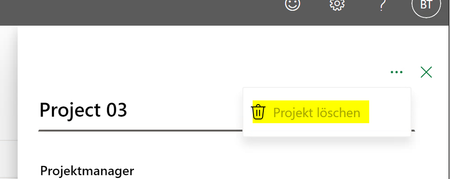
I just don't want them to be able to delete the project by accessing the project through the environment URL.
They should only be able to edit their assigned tasks.
The only solution I figured out by myself is not assigning the M365 group to the project directly but to release the project to the M365 group and give them just read and write permission:
Maybe you know another way how to prevent the project members to be able to delete the project when accessing the project through the environment URL?