Forum Discussion

robertpoddar
Jul 13, 2022Copper Contributor
Importing a plan from Google Sheet
Hi, Earlier I was using Smartsheet project management tool and now corporate has moved us into MS Project Online. I had exported a Smartsheet plan into Google Sheet. How do I import the Google...
- Jul 21, 2022Robert --
I ran into this exact problem when I exported a project from Project for the Web to an Excel workbook. When I tried to import the workbook into Microsoft Project, the From: Excel field rows were blank in the Import Wizard dialog.
Oddly enough, I was able to resolve the problem by copying and pasting the contents of the original Excel workbook into a totally new blank workbook and then saving it with a different name. I would suggest that you try this method to see if it resolves your problem as well. Hope this helps.


robertpoddar
Jul 21, 2022Copper Contributor
Hi John-project
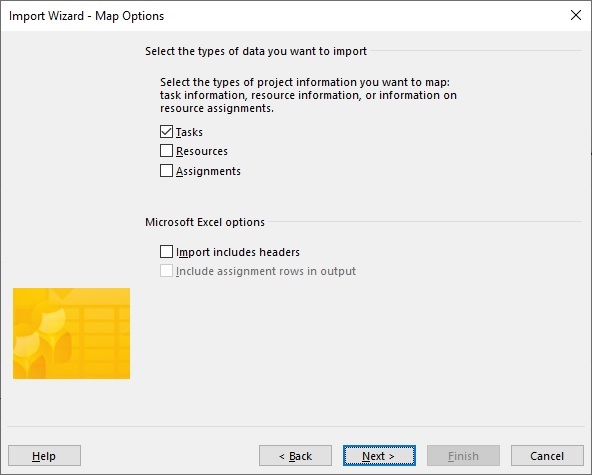
I selected the "Source Worksheet" and also selected the "Tasks" checkbox. I am unable to pull down the list in the "From: Excel field" and also map "To Microsoft Project field". Attaching the screenshot of my map wizard.


John-project
Jul 21, 2022Silver Contributor
robertpoddar,
It sounds like Dale may have the solution for you. However if you are still having issues, VBA is a fallback solution and I'd be happy to help you with that.
John
It sounds like Dale may have the solution for you. However if you are still having issues, VBA is a fallback solution and I'd be happy to help you with that.
John
- robertpoddarJul 22, 2022Copper ContributorDone John.. thank you for all the help 🙂
- John-projectJul 22, 2022Silver Contributorrobertpoddar,
You're welcome and thanks for the feedback. Please mark Dale's response as the answer.
John - robertpoddarJul 22, 2022Copper ContributorHi John.
The solution that Dale provided worked. In the sense i was able to import the data into the MS Project.
The issue is that i am not getting the desired results, which i need to further fine tune the importing of data.
Thank you so much for helping me..