Forum Discussion

Edit Enterprise Calendar in Project Online
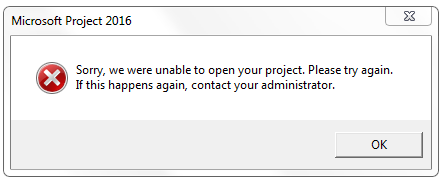

Hi Michael,
If you try it when Project is already open, do you get the same result ? Are you using Project Professional Online rather than an older installed msi version of project ? If so remove the msi version and download the latest version from the Office 365 portal page (CTR version). This type of error indicates to me that you ma have mismatched installs of the 2016 applications OR this error can manifest itself when you have multiple versions of Project installed. In which case the fi is as I already mentioned - install the CTR version (Click to Run). Hope that helps.
- Michael SheaJan 20, 2017Brass Contributor
Thanks for the response, Kelvin. Yes, same result when I have Microsoft Project open. And yes, I have the CTR version of Microsoft Project 2016 installed directly from the Office 365 site. Also, I am doing it on a brand new machine that did not have any previous versions of Microsoft Project installed.
- Kelvin KirbyJan 20, 2017Copper ContributorHi Michael,
OK so now we established that, can you confirm that you only have ONE account set up in Project Pro that points to the respective Project Online environment - make sure too that it is set to default and that the account is set to automatically login to this account (so you don't have to select the environment you want to connect to. If you can normally login OK and connect from ProjectPro to your Online environment then working the other way around if something is not working it usually points to the fact that Pro is opening into the wrong online environment, or that there might be a hidden dialog somewhere that means you'll get the error you encountered until the dialog is actioned.
Of course I have assumed all along that you actually have permission to edit the calendar ? So for example you may have permission to open a project (which is why that works), and would be appropriate for a PM but not necessarily a permission to edit or create calendars which is a permission normally associated with an Administrator type account that has more elevated permissions.- Michael SheaJan 20, 2017Brass Contributor
Kelvin, thanks again for helping with this. I previously had the Project Accounts set to manually choose, but set it to automatic and am still seeing the same issue. Also, I am a full Administrator on the site collection and in Project Web App Administrator. One other note that may help is that I receive this dialog box before I end up with the ultimate error:
