Forum Discussion

Powerapps form webpart
- Oct 28, 2019
Mathieu_pelletier no, the SubmitForm should use the name of your form in the PowerApps app.
Rob
Los Gallardos
Microsoft Flow Community Super User

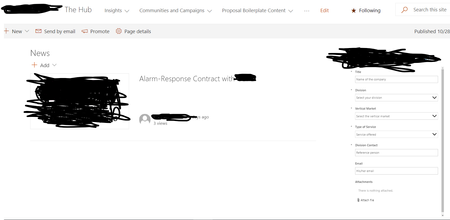
Hi Mathieu_pelletier that doesn't look like a PowerApps form to me but the standard SharePoint form. How are you embedding it in the page?
Rob
Los Gallardos
Microsoft Flow Community Super User
 Mathieu_pelletierOct 28, 2019Copper Contributor
Hi RobElliott ,
Yes I embeded it. I embeded by : edit page --> clicking on the + sign-->Select Microsoft Powerapps -->copy/past the app ID.
- RobElliottOct 28, 2019Silver Contributor
Mathieu_pelletier oh ok, it just looked like the default SharePoint form. I suggest you add a button to the form with the OnSelect set to SubmitForm(yourform)
Rob
Los GallardosMicrosoft Flow Community Super User
- Mathieu_pelletierOct 28, 2019Copper Contributor
Thank you RobElliott
I am new to powerapps so I am a little bit confused with the integration within Sharepoint. I created the button and add Onselect as you said. However, I don't know how to link it since I want the answer to be updated in the sharepoint list. I did that :
It might be a little bit blurred but the formula is OnSelect=SubmitForm('Win Announcements List') And Navigate('Thank You Screen')
The "Win Announcements List" is the name of my sharepoint list where I want to gather the form answers.
Thank you for taking your time to help me 🙂