Forum Discussion

Manual Trigger File Input Attach to an Email - I have tried everything!
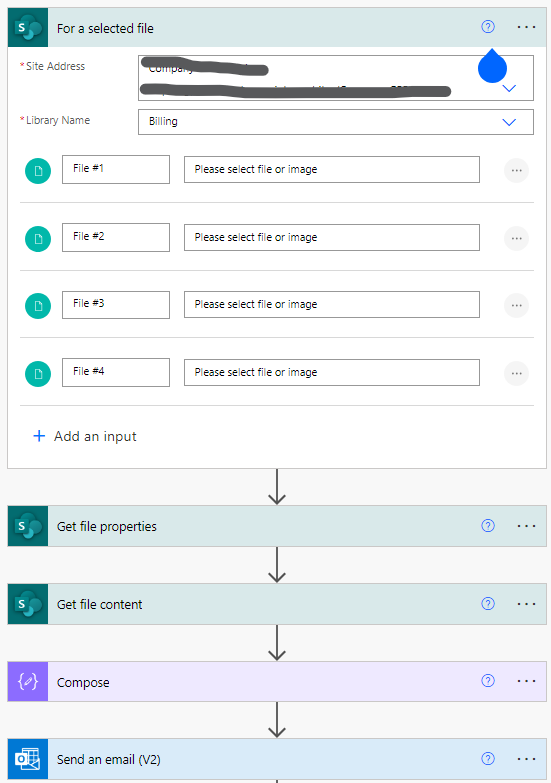
I have a flow triggered by a Manual "For a Selected File" Trigger that ALSO has an "Add an input" to import an additional file. (My team needs to be able to email a SharePoint file, but also upload additional supporting documents when running the flow).
When I go to Attachments in the "Send an email (V2)" I am able to get the "Attachment name" to work but the file still will not open. The file appears to come through properly - just wont open!
According to ChatGPT "The output shows Base64-encoded data" so I don't think that is the issue.
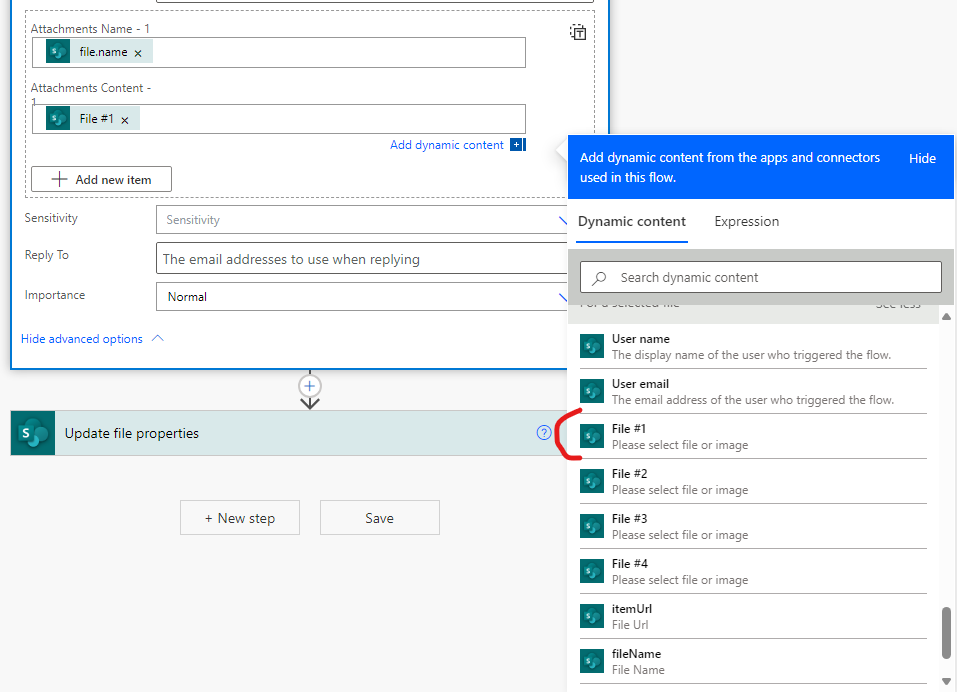
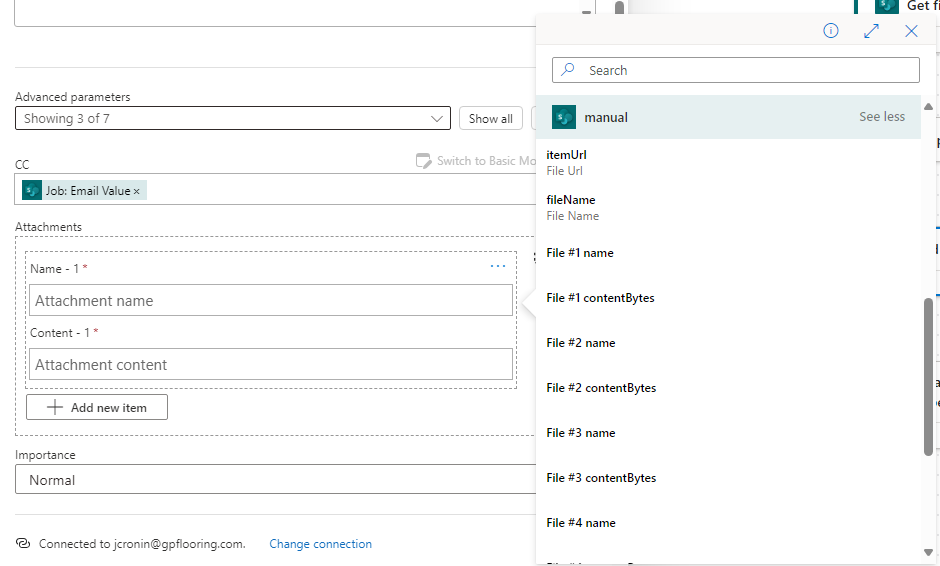
Also - the Old Editor and the New Editor give totally different Dynamic Content options (see images) but none work! I did get it to work one time but I cannot recreate it.
What am I missing? What can I try??
8 Replies
- michalkornetSteel Contributor
Hi Jennife_r,
It’s not so straightforward.
you are right in the old editor, I can see that the additional file name is not available in the Dynamic Content list.
However, you can still access it using the following code:
triggerBody()['file']['name']
Of course, you’ll need to double-check the correct 'file' reference in your case.
The content can be accessed similarly, but to ensure it’s in the correct format, you’ll need to convert it to binary using this function:
base64ToBinary(triggerBody()['file']['contentBytes'])
And just in case, I’m sending the page with information on how to handle SharePoint files so they can be attached correctly: https://learn.microsoft.com/en-us/microsoft-365/community/power-automate-send-sharepoint-files-as-attachments
 Jennife_rCopper ContributorHi - appreciate your response but I haven't been able to get anywhere still.
I am able to attach SharePoint files without a problem.
The issue is attaching the files uploaded during the flow using the "File Input" option for the trigger.
I can get the file to appear in the email but it will not open. What am I missing?- michalkornetSteel Contributor
Hi Jennife_r ,
My trigger looks like this:
try filling the Outlook action using dynamic content and the following expressions:
The effect should be correct:
I hope this method works in your flow. In case of any problem with the flow do not hesitate to write, we will find a solution.