Forum Discussion

Look up Field Power Automate
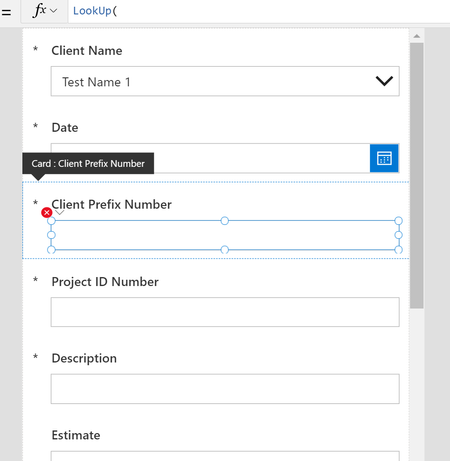

hello_a_r The name of the column (which you can find if you hover within the list settings) will still be title so that's no issue. Are you able to click into the formula bar and take a screenshot with the error showing?

Thank you for all your help with this. Here is the screen shot showing the error.
The image below that shows the code in the original drop down we are trying pair up with.
- rachelcackleberryMar 04, 2021Brass Contributor
Thanks hello_a_r - That's not showing me the actual error message. If you click into the formula bar so the squiggly lines are showing, then hover it will give you a message. The alternative is to click the stethoscope in the top right corner and navigate to the error message. Unfortunately your screenshot only tells me there's an error, not what the error is.
Thanks!
- hello_a_rMar 04, 2021Copper Contributor
The entire line is underlined red and I cant seem to keep that red lines and the text that appears on hover when I go to take a screen shot. The text on hover says: "The function 'Lookup" has some invalid arguments"
- rachelcackleberryMar 04, 2021Brass ContributorOne last ditch idea.... The Client Prefix Number in the formula bar, did it come up with the suggestions? I'm wondering if it should be enclosed in '' - 'Client Prefix Number'?
Also - fun windows tip (if you're a windows user) - if you hover over so you get the text, then use your keyboard and hold down windows/shift/S it will let you select a portion of your screen to capture! Best tool ever 🙂