Forum Discussion

 Microsoft
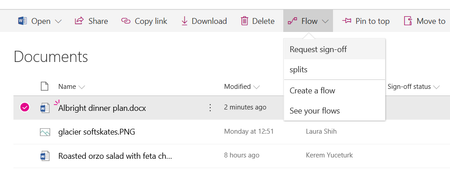
Introducing "Request sign-off" - an approval flow that requires no set up

Hi @Keremt Yuceturk, many thanks for the quick response. I am aware that this new Sign Off does not use the Approval Status column hence my post. I looked at the release 'Set Content Approval Status' and have had a go at creating a Flow for a 'document' library, however as others have commented in other posts, this is not available for document libraries, only list libraries (unless there has been an update to this in the last few weeks). If you can point me to a blog/post/help article relating to how to create an approval that interacts with the 'Approval Status' column; meaning when a user receives the Approval email with the Approve/Reject buttons, that when the click on Approve button in the email the flow actually updates the Approval Status to 'Approved'. All posts that i have seen have been based on creating your own Approval Status column and using that instead. Hope this makes sense.

‘Set Content Approval Status' action does work with Documents Libraries (at least it works for me at the moment 🙂) and it updates the ‘Approval Status’ accordingly if Content Approval is turned on for that specific library. You have to ‘Set Content Approval Status’ to Submit before you start an Approval and ‘Set Content Approval Status’ to Approved or Rejected based on the outcome for the Approval. Make sure you use the ETag property when setting approval status to either Approve or Rejected. I hope this helps.
 Jer HarwoodApr 05, 2018Brass Contributor
Ovi Mocanu - I'd like to see how you're using it with major and minor versioning. I just created one within the last week and had to create a trigger column and am using just major versioning. Here's a https://powerusers.microsoft.com/t5/Building-Flows/SharePoint-Approval-with-Create-or-Modify-as-trigger/m-p/86604/highlight/false#M8552. Maybe you're using a trigger column and then using the workflow to set the Approval Status to "Submit" (for publishing)?
- Ovi MocanuApr 05, 2018Copper ContributorHello Jer,
I went over the reference page describing your Flow however my requirements are different in the sense that I use ‘For a selected item’ trigger for my Flow (e.g. only selected users can send documents for approval). Also, I’m not using a separate column to track Document Status, I’m only using Approval Status column which is updated accordingly to either Approved or Rejected by the second ‘Set content approval’ action (this action is executed after the ‘Start an approval’ action, in both branches of the condition where you check the Response for your approval). If you have major/minor versioning turned on for your document library the Approval Status column is updated accordingly (either Approved or Rejected upon successful execution of your Flow) and the version is updated to the next major version (published document).
On a total different note, great job to Kerem and Microsoft Flow team for this OOTB (aka. No-Setup 🙂) Flow. Keep up the great work!
- Tanya DentonApr 05, 2018Steel Contributor
Deleted Thank you so much for the info, I will give it another go as it would be great to move away from SharePoint Workflow's with tasks all over the place and centralize approvals into one view.