Forum Discussion

Approval with email
 Feb 10, 2021
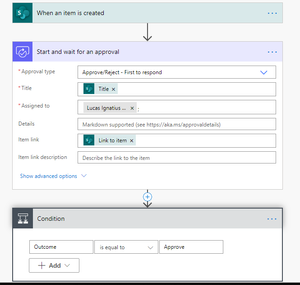
I think recent update from Microsoft is for Approval App. It means you can take approval directly from MS Teams using this app. Also it will provide you the details of any approval actions you are using anywhere in Power Automate (Flows).
let me know if you have any questions further on this.
Refer link:- https://flow.microsoft.com/en-us/blog/approvals-app-now-available-on-microsoft-teams/
I think recent update from Microsoft is for Approval App. It means you can take approval directly from MS Teams using this app. Also it will provide you the details of any approval actions you are using anywhere in Power Automate (Flows).
let me know if you have any questions further on this.
Refer link:- https://flow.microsoft.com/en-us/blog/approvals-app-now-available-on-microsoft-teams/
 dgillespie-adfDec 09, 2021Brass ContributorThanks for the clarification. When getting started with Approvals in Flow, I assumed the mechanism would work via email but it only works in Teams. The only way I know to add the action of "sending an email" is to actually add the action. I am using the "Start an approval in Teams when a file is added to a SharePoint folder" template.
 lucasignatiusFeb 10, 2021Copper Contributor
Yes, for now it can still be received with email too,
Thanks for your help.
This case is solved