Forum Discussion

Rolling out: Guest access support for tasks in Planner
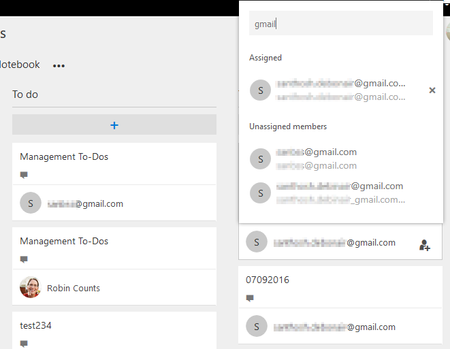

William Evans, Hi, The external user cannot able to login to Planner to view his cards as of now. Support for external user is in roadmap. But you can able to assign tasks to external users as they are supported in O365 Groups. The external user will get email notification for all updates and can participate via groups. Also external user can post an update to the task by just replying to the email and it will be available in the comments section in the task card. HTH.

Hola,
Has this functionality been worked? Or any idea of when it can be made available to guest-users?
- SanthoshB1Dec 11, 2017Bronze ContributorSeems MSFT is still working on this feature..... https://planner.uservoice.com/forums/330525-microsoft-planner-feedback-forum/suggestions/11585187-allow-external-users-to-view-edit-tasks
 Dave NortonDec 14, 2017Brass Contributor
Do you know how this works?
First the guest user has to have a active office365 Account with Azure AD.
Second, the assigned Licence has to be configured for "Teams" and "Planned" and the function Switches has to be activated
I have setup a test plan to invite you
- SanthoshB1Dec 17, 2017Bronze Contributor
Hi, I have tried this with different domains and I received 404-Unauthorized access. It seems it is not yet ready.
- Dec 12, 2017
Guest Invitation is working, but there are some limitations to check.
First the guest user has to have a active office365 Account with Azure AD.
Second, the assigned Licence has to be configured for "Teams" and "Planned" and the function Switches has to be activated.
If you want to include external persons where no own AzureAD has, you can invite the users as a azure AD guest in your Azure to give them a temporary licence.
 Salomé PintoFeb 05, 2018
Microsoft
Patrick Fontana wrote:
Guest Invitation is working, but there are some limitations to check.
First the guest user has to have a active office365 Account with Azure AD.
Second, the assigned Licence has to be configured for "Teams" and "Planned" and the function Switches has to be activated.
If you want to include external persons where no own AzureAD has, you can invite the users as a azure AD guest in your Azure to give them a temporary licence.
Hello! What do you mean by Second, the assigned Licence has to be configured for "Teams" and "Planned" and the function Switches has to be activated? What is the function Switches?
