Forum Discussion

The Plan is missing or deleted
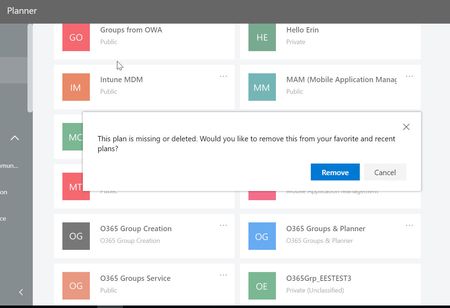

Tekzar I found my answer here https://docs.microsoft.com/en-us/microsoft-365/admin/create-groups/restore-deleted-group?redirectSourcePath=%252fen-us%252farticle%252fRestore-a-deleted-Office-365-Group-b7c66b59-657a-4e1a-8aa0-8163b1f4eb54&view=o365-worldwide
magic link is: https://outlook.office.com/people/group/deleted
After restoring deleted group you can just go to the Planner related to the group.
The only thing missing - pictures attached to tasks, and users assigned.

AdamZki
The magic link worked! I was able to restore the entire deleted group and, with it, my planner board. A thousand thanks for this tip. Life saver!
Pro tip: You need to allow 5-10 mins for the Planner board to restore successfully. Don't be like me and panic refresh the planner page. Also, Planner wouldn't let me upload attachments right away after it was restored, but after a few hours, all is well and attachments are uploading without any issue.
P.S. My IT team was stumped. I tried the magic link on a whim, and it worked and let me do the restore without admin privileges. So happy about this!