Forum Discussion

Planner Image preview issue
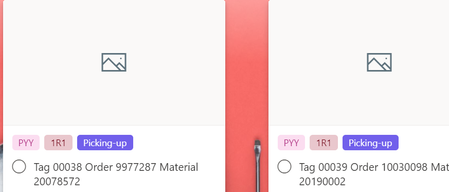

What happens when you attach the image from SharePoint manually?
What happens when you turn the card preview on/off? This would be a long shot but worth trying.

atrain204 I do not use the Task app in Teams. When I turn show on card off and back on the result is the same. When I add it manually the preview works. The preview does not work when I add the image through Power Automate, update task details.
 Kumar_VenkateshNov 17, 2023Copper Contributor
Hello Everyone!
I have been using planner for the last few months. Its really a good tool and it seems to be competing with Trello and the likes of it.
But the only few issues I found in the planner are
1. The copy of card from one bucket to another, one board to another deletes the comments, attachments, etc - this seems to be going on for many years and Pernille-Eskebo is not hearing about this issue
2. The Move of card from one bucket to another, one board to another deletes the comments, attachments, etc - this seems to be going on for many years and Pernille-Eskebo is not hearing about this issue
3. If we use any tools to update the image, it doesnt show in the preview. Sad again its an old issue which Microsoft is not paying attention to
4. Alerts on comments, status change, etc to the creator of the card or user assigned to never appears. I think its there when a card is assigned to and comments are made ? sometime works and not most of the time
5. Status is rigid Not started, complete - no flexibility to increase or modify them
6. Can you believe in the Microsoft world of products you cannot @ to add user ? Yes, this is an issue
Hopefully our prayers are heard by Microsoft one day or they are struggling with this one more sharepoint spinoff!!