Forum Discussion

David1972
Aug 11, 2019Brass Contributor
Planner can't integrate with our Outlook Exchange 2013 mailboxes
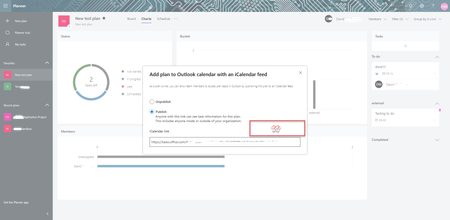
We have Exchange 2013 mail for our staff (not going to change anytime soon we don't expect) and I can't get tasks to appear in Outlook. When I publish the link there is no 'Add to outlook' link a...
- Aug 13, 2019
David1972- I think you have self diagnosed the issue. Perhaps outlook is not able to successfully read the ical URL without an O365 mail account.

ben_project
Aug 12, 2019Brass Contributor
David1972- From my understanding this should just work because it is an Outlook setting. Do you have any more luck if you add the internet calendar directly from the Accounts setting in Outlook.

David1972
Aug 12, 2019Brass Contributor
Hi Ben.... No I've tried that it fails to sync... There is an error code but not at work now so can't post.. will update
However I can add the iCal link to other services, ie Google calendar and the tasks appear immediately..
However I can add the iCal link to other services, ie Google calendar and the tasks appear immediately..