Forum Discussion

Planner can't integrate with our Outlook Exchange 2013 mailboxes
- Aug 13, 2019
David1972- I think you have self diagnosed the issue. Perhaps outlook is not able to successfully read the ical URL without an O365 mail account.

Outlook 2016 on Windows 10 and also tried OWA.
All events have a start and end date

David1972- From my understanding this should just work because it is an Outlook setting. Do you have any more luck if you add the internet calendar directly from the Accounts setting in Outlook.
- David1972Aug 12, 2019Brass Contributor
Hi Ben this is the error I get in outlook when I try and add that internet calendar..
Also when I click on Conversation link in Planner I get this error:
Thanks for your time so far!
- ben_projectAug 13, 2019Brass Contributor
David1972- the 2nd screen shot tells me that you don't appear to have an Exchange licence for O365, which would make sense given that you are using Exchange 2013. I'm wondering if to generate a valid internet calendar you need a licence assigned? Does your dev account have an Exchange licence assigned. It's worth checking the differences between the two accounts.
- David1972Aug 13, 2019Brass ContributorHi Ben
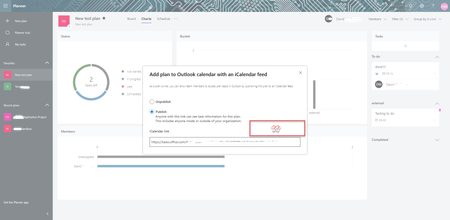
There's no problem with generating an iCal as I can import the same link into Google... It's just that I can't open on Outlook.. Or I can add the calendar but it doesn't connect to tasks.
My Dev account has 365 mailboxes so it just works. The problem is on our organisation's side... But not sure what exactly!
- David1972Aug 12, 2019Brass ContributorHi Ben.... No I've tried that it fails to sync... There is an error code but not at work now so can't post.. will update
However I can add the iCal link to other services, ie Google calendar and the tasks appear immediately..