Forum Discussion

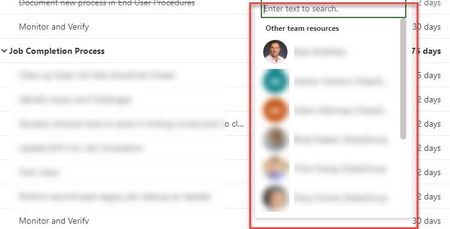
Only Members (from my Org) show in Planner Assignment Drop down List
- Apr 14, 2021
I did some more research. The issue, I think is this.
A Planner Task list is owned by the O365 group associated with them, not the Team in which you create it in. I thought that the Planner Task List "inherited" the Team member permissions. Not so.
Even if you create the Planner Task list in a specific Team and add lots of members, Planner does not recognize them. It only recognizes the O365 group that owns the Planner Task List as "members" of that Plan and only allows them to be assigned tasks.
So we need to add the same persons to both the O365 Group that owns the Planner Task List and to the Team. Unless there is an administrative way to synchronize the two. (I'm not an Admin for SPO).

I did some more research. The issue, I think is this.
A Planner Task list is owned by the O365 group associated with them, not the Team in which you create it in. I thought that the Planner Task List "inherited" the Team member permissions. Not so.
Even if you create the Planner Task list in a specific Team and add lots of members, Planner does not recognize them. It only recognizes the O365 group that owns the Planner Task List as "members" of that Plan and only allows them to be assigned tasks.
So we need to add the same persons to both the O365 Group that owns the Planner Task List and to the Team. Unless there is an administrative way to synchronize the two. (I'm not an Admin for SPO).