Forum Discussion

Major update of Outlook Add-in iPlanner Pro for Office 365 Planner
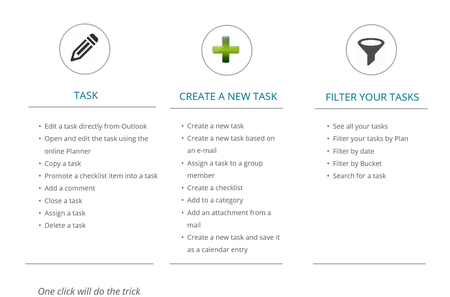

I just want to know first how I can view all my task in iPlanner Pro. What are the steps to do that?
Diana

Diana_De_Rosa
Hi Diana. If you deployed iPlanner Pro in Outlook you will be able to see tasks assigned to you in iPlanner Pro in Outlook. You can look at these video on our youtube channel
About iPlanner Pro on https://www.youtube.com/playlist?list=PLKPkfe6HNVv-GgwPE_8g1bXxmkB6rcSTU
iPlanner Pro Users guide on https://www.youtube.com/playlist?list=PLKPkfe6HNVv8oTlovBwuIEYa9F3T5XmBo
I will also be happy to give you a demo.
Thnak you
- Diana_De_RosaMar 21, 2022Copper Contributor
Alon_iGlobe I apologize for not making the tutorial session. Unfortunately I can't seem to figure out what time I'm supposed to log in with you because I am on EST time and you are in another country. Is it possible for you to reschedule me and let me know what that time would be EST? Or if you sign me the link I can sign up but even then it is confusing because it's not clear that the time we choose is not EST time. Diana De Rosa
- Alon_iGlobeMar 22, 2022Iron Contributor
Hi Diana_De_Rosa I am in CET time zone in Copenhagen. Can you please send me an email and we can find a time that will work for us both. (mailto:Email address removed)
- Diana_De_RosaMar 22, 2022Copper ContributorI'm in my office now until 5 EST New York. So, if you have an opening today you could let me know.