Forum Discussion

Georgeina Baker
May 13, 2020Iron Contributor
Cannot link tab to existing plan in Teams
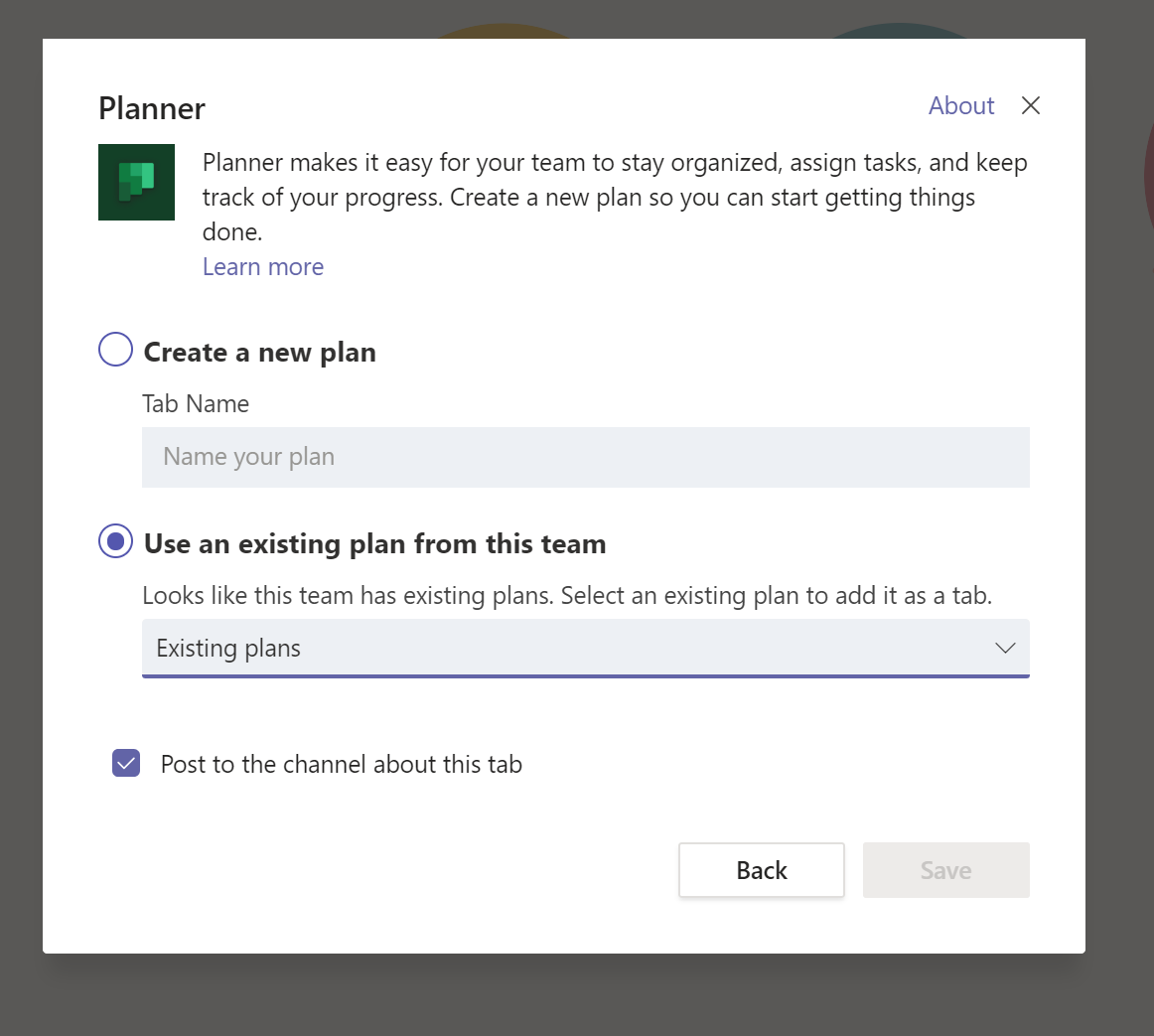
I create a Team In General channel, add Tab to Planner. Message says "Looks like this team has existing Plan" and shows dropdown. I click dropdown. Nothing happens. Bug? User error? Misleadin...
- May 13, 2020Sounds like a bug! Can you confirm the same in the web client?
Did you click the + sign in teams and chose Planner? Screenshot?

May 13, 2020
Sounds like a bug! Can you confirm the same in the web client?
Did you click the + sign in teams and chose Planner? Screenshot?
Did you click the + sign in teams and chose Planner? Screenshot?

Georgeina Baker
May 15, 2020Iron Contributor
adam deltinger I've replicated the issue:
- New Team set up using Teams app
- + in General channel
- select Planner
- message (see screenshot): Looks like this team has existing plans. No response to clicking dropdown
Steps 2-4 identical when accessing this team from Teams via browser (Chrome, Edge).