Forum Discussion

% Complete - doesn't seem to calculate properly, what am I missing?
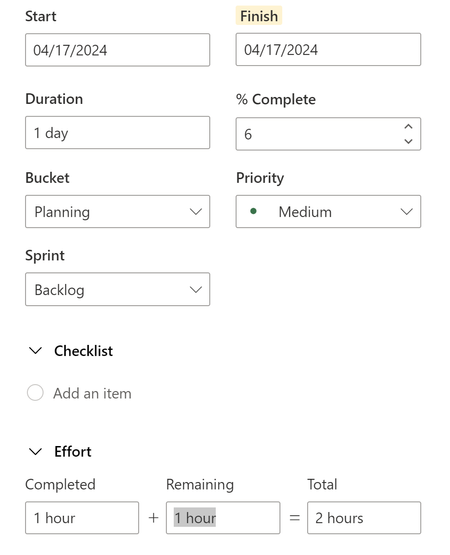

This issue is because % complete is a % complete of the duration, not the effort.
When you update % complete Planner looks to see how much effort has been scheduled in a time-phase. The easiest way to think of this is hours per day, but it is looking at increments of hours (I haven't yet worked out the smallest increment).
When you update % complete Planner calculates the % complete of the duration and then calculates the total effort that was scheduled within that duration.
You can only see time phase information in the 'assignments' view (and licensing issues may stop you from seeing this)
For example if I were to update % complete with 20% as per the example below the effort completed would show as 0 hours.
If were to update effort completed with 7.4 the % complete field would calculate to 40%.
If you were to update % complete with 50% that would be time point sometime on Wednesday.
Unfortunately there are more factors at work:
For example there are start and finish times that impact on how Planner schedules effort, so sometimes I am finding that it has scheduled start from 12.00 on the first day and puts all the other hours on the last day. In this case even if you update the effort as say 50% of 37 the % complete may calculate to an unexpected figure, because e.g. only 10 hours have been scheduled by the mid point of the duration.
Unfortunately I do not believe there is a way to edit time although you can see it if you hover above the start and finish fields.