Forum Discussion

unable to access secure emails in outlook classic
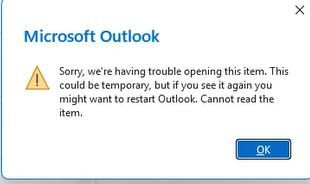

Since the same messages open in Outlook on the web and new Outlook, I’d treat this as a classic Outlook client/build issue rather than an Exchange or message-permission problem.
First check File > Office Account > About Outlook. Microsoft documented a classic Outlook bug affecting Encrypt Only messages after Current Channel Version 2511 build 19426.20218. It was fixed in build 19426.20294 and later builds. Choose Update Options > Update Now, confirm the build actually changed, then close all Office apps and restart Windows. A reinstall can leave you on the same channel and build, so it may not change anything.
Also try double-clicking the message to open it in its own window, because restricted content may not render in the Reading Pane. If an updated build still fails, give your admin the exact build/error and whether the messages use Encrypt Only or Do Not Forward. They should then check Conditional Access to the Azure Rights Management endpoint. OWA or new Outlook is a reasonable temporary workaround.