Forum Discussion

Remove New Email Button From Folder Pane - Desktop Outlook
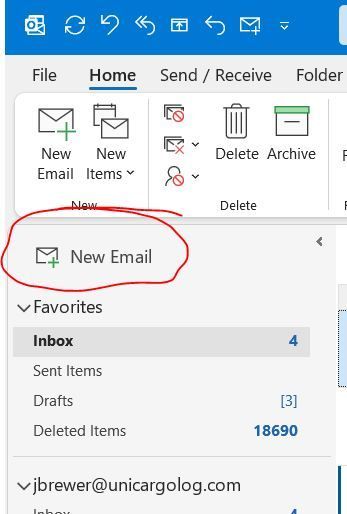

Hi, I know this is over a year old but I have found a solution that worked for me out of pure randomness!
In the outlook classic desktop app this "New email" button appeared in the Folder Pane, Above the Favorite section.
There is no available option to disable/remove it. [Forced features without options to toggle them, you really know how to please your users Microsoft]
However [because Microsoft apps are 100% predictable and have been thoroughly tested to eliminate all bugs and weird behaviors...] if you do these steps, you should be able to get rid of the button:
1- open outlook classic with the unnecessary redundant "new email" button visible
2- ENABLE THE "TRY THE NEW OUTLOOK" SLIDER (top-right).
3- let outlook reload, dismiss the 5 popups and "new feature exploration" spam.
4- DISABLE THE "TRY THE NEW OUTLOOK" SLIDER (top-right) [be sure to leave feedback that you hate having features forced down your throat]
5- let outlook reload the classic look
6- find out the button is gone 😀
I have not tested this on other systems nor am I a microsoft employee. I'm just another user which found your question as a first result in my search for an answer.
Have a great day!