Forum Discussion

Outlook Search not showing Recent Emails (December-2021)

 Microsoft
The Windows Team is investigating the issue for a fix. I have seen some reports that this issue might affect Windows 11 too starting with Dec update KB5008215.
In the meantime a workaround is to set the registry key in this article, Outlook Search not showing recent emails after Windows update KB5008212 (microsoft.com). After you set this registry key, and restart Outlook, Outlook will use its built in legacy search. After the Windows fix is out you can delete that registry key to get back to Windows native WDS Search.
Another option. Put this text below in Notepad and save as preventindexingoutlook.reg. Then double click on it and install the regkey.
Windows Registry Editor Version 5.00
[HKEY_LOCAL_MACHINE\SOFTWARE\Policies\Microsoft\Windows\Windows Search]
"PreventIndexingOutlook"=dword:00000001

So many people keep suggesting to use MS workaround and disable Windows Search in Outlook, but doing this makes the Outlook search too slow for most work environments with thousands of email and large .PST files.
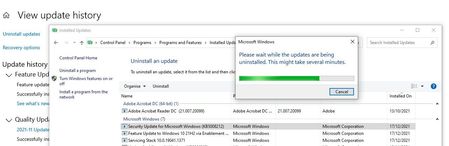
The only workaround that keeps Outlook search usable is to uninstall all Windows cumulative updates that broke Windows Search, even though this might increase the vulnerability of the system, and wait until the issue is fixed before installing letting WU install new cumulative updates.